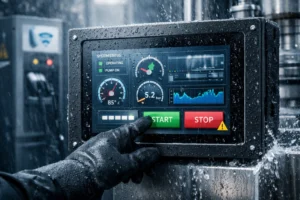
.png)

You want a touch screen that matches what you need. If you like high sensitivity and want to use light taps or swipes, a capacitive touch screen is best for you. If you are in tough places, resistive screens are stronger and cost less.
| Feature | Capacitive Touch Screens | Resistive Touch Screens |
|---|---|---|
| Sensitivity | Needs only light taps and swipes | Needs you to press harder |
| Durability | Hard to scratch | Gets damaged more easily |
| Input Methods | Can use more than one finger and gestures | Only one touch at a time, needs pressure |
| Cost | Costs more | Costs less |
It is important to pick the right screen. Your choice changes how you use your device, how long it lasts, and how much you pay. More smart devices now use capacitive screens. Resistive screens are still used more in factories and outside.
Key Takeaways
- Pick a capacitive touch screen for fast and sensitive use. It is good for games and using many fingers at once.
- Choose a resistive touch screen if you want it to last long. You can use gloves or a stylus with it. It works best in factories or outside.
- Think about where you will use the screen. Capacitive screens do not work well when it is humid. Resistive screens are better with dust and water.
- Price is important. Capacitive screens cost more because of their technology. Resistive screens are cheaper and simple to change.
- Think about what you will do with the screen. Capacitive screens are best for clean, indoor places. Resistive screens work well outside or in rough spots.
Capacitive Touch Screen
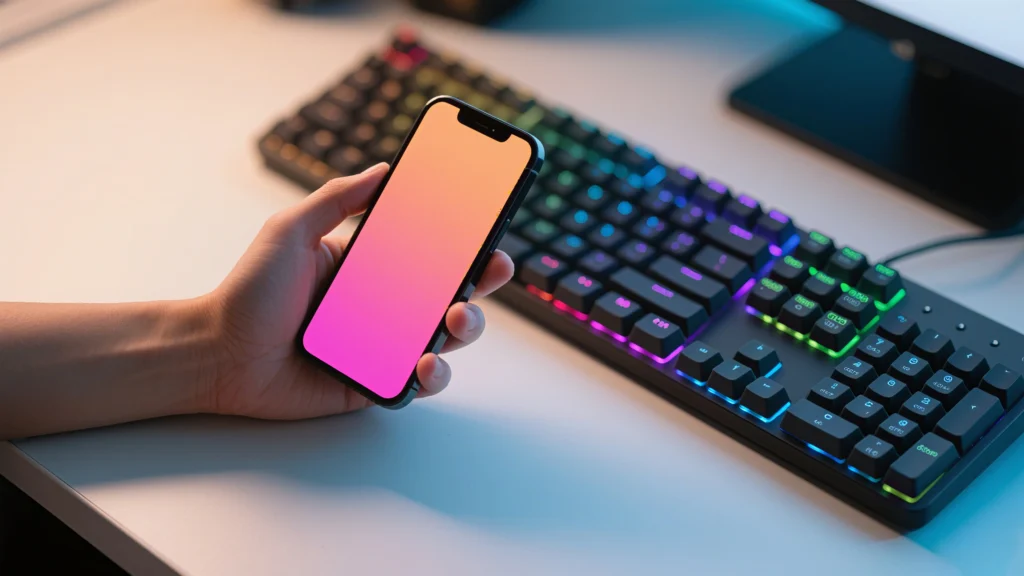
How It Works
A capacitive touch screen uses science to sense your touch. When you place your finger on the screen, you change the electrostatic field. The screen detects this change in capacitance. Your body acts like a dielectric, which means it affects the electric charge. A microcontroller inside the device measures how fast the charge changes. This process helps the screen know exactly where you touch. You do not need to press hard. Even a light tap or swipe works.
Pros
You get many benefits when you use a capacitive touch screen:
- High durability because the screen uses toughened glass. It resists scratches and impacts.
- Excellent clarity. The screen lets a lot of light through, so colors look bright and sharp.
- Multi-touch capability. You can use gestures like pinch-to-zoom or swiping with more than one finger.
- Fast response. The screen reacts quickly to your touch.
- Low maintenance. You can clean it easily, and it does not collect much dust or oil.
- Long lifespan. The screen does not wear out quickly because it has no moving parts.
- Sleek design. Devices look modern and smooth.
Cons
You may notice some drawbacks with a capacitive touch screen:
- The screen can register false touches in humid conditions.
- You do not get physical feedback, so you must look at the screen to check your actions. This can be risky if you need to keep your eyes elsewhere, like when driving.
- Most capacitive screens do not work with gloves. This makes them less useful in medical or industrial settings.
Applications
You find capacitive touch screens in many places:
- Automotive infotainment systems help you control music and navigation.
- Medical devices use them for easy and clean operation.
- Gaming consoles let you play with touch controls.
- Industrial control panels use them for fast and accurate input.
- You also see them in retail, education, and LCD technology.
Resistive Touch Screen
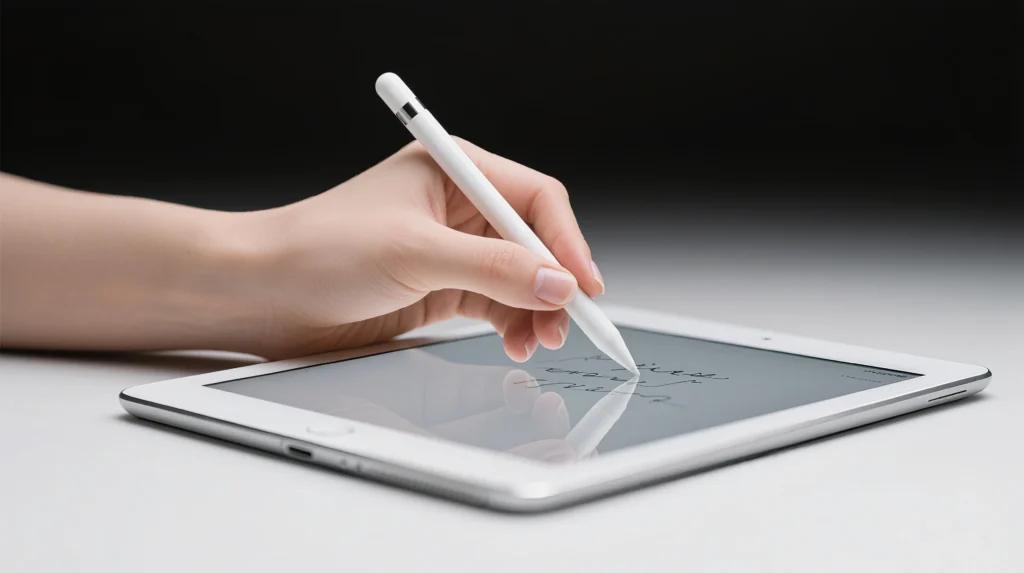
How It Works
You use a resistive touch screen by pressing on it. The screen has two clear layers. When you press, the layers touch each other. This lets electricity move between them. The system checks the voltage where you touch. The controller inside reads these signals. It finds the exact spot you pressed. Most screens use 4-wire or 5-wire setups. These help find your touch side to side and up and down. The top layer bends when you press. It touches the bottom layer. The device turns this signal into a command. This can open an app or pick a menu.
Pros
Resistive touch screens work well in rough places. You can use gloves, styluses, or anything that presses down. These screens are waterproof and meet NEMA and IP rules. You can use them outside or in factories. The strong polycarbonate layer keeps the screen safe. It stops glass pieces from getting into food. This is important in kitchens and food factories.
You get good performance even if your hands are wet or dirty. You do not need to worry about the screen failing in rain or dust. The simple design makes these screens cheap and easy to replace.
Cons
- You must press harder for the screen to work.
- The screen only knows one touch at a time.
- You cannot use multi-touch gestures.
- Dirt and dust can make the screen work badly.
- You need to clean it often.
- The screen may need calibration to stay accurate.
- Power use is higher because it always checks for touches.
- Sometimes, the screen cannot tell a real touch from a bump.
Applications
You see resistive touch screens where toughness and flexibility matter. Factories use them for control panels. They work with gloves and resist water. Outdoor kiosks and ticket machines use them. They handle rain and dust. Medical devices use resistive screens. You can use them with gloves. Food and drink industries pick these screens for safety. The polycarbonate layer stops contamination. You also see them in older smartphones, GPS units, and handheld devices. These need simple, reliable touch input.
Comparison
Features
There are big differences between capacitive and resistive touch screens. The table helps you see how each type works. It also shows what you get when you use them.
| Aspect | Capacitive Touch Screen | Resistive Touch Screen |
|---|---|---|
| Working Principle | Detects changes in electrical fields due to touch | Pressure-sensitive layers register touchpoints |
| Sensitivity | High sensitivity; responds to light touch | Needs physical pressure to register touch |
| Multi-Touch | Supports multi-touch gestures | Single touch operation |
| Durability | Scratch-resistant, solid-state construction | Can get damaged more easily |
| Input Methods | Works with bare fingers; limited with gloves/stylus | Works with any stylus, gloves, or finger |
| Visual Clarity | Bright, sharp display; no air gap | Lower clarity; possible reflections |
Tip: Pick a capacitive touch screen if you want fast reactions and gestures. Choose a resistive touch screen if you need to use gloves or a stylus.
Performance
These screens work very differently in real life. Capacitive touch screens react quickly and feel smooth. You can swipe, tap, and zoom with more than one finger. Resistive touch screens need you to press down. They only read one touch at a time.
| Feature | Capacitive Touch Screens | Resistive Touch Screens |
|---|---|---|
| Speed | Fast and responsive | Slower due to pressure detection |
| Sensitivity | Highly sensitive to touch | Needs physical pressure |
| Multi-Touch Support | Yes | No |
| Durability | Long lifespan, resists scratches | Rugged, works with gloves and styluses |
| Environmental Resistance | Less resistant to dust and moisture | Better for harsh environments |
| Visual Clarity | High clarity, vivid colors | Lower clarity, can have reflections |
Note: Capacitive screens last longer because they use tough glass. Resistive screens work better in places with dust or water. They are good if you need gloves.
Cost
Think about your budget before you pick a touch screen. Capacitive touch screens cost more. They use advanced technology and let you use multi-touch. Resistive touch screens are cheaper. They are easy to replace.
- Capacitive touch screens cost more for makers and buyers.
- Resistive touch screens save money, especially for big projects or tough places.
Quick Reference Table
| Feature | Capacitive Touch Screen | Resistive Touch Screen |
|---|---|---|
| Sensitivity | Light touch | Needs pressure |
| Durability | Scratch-resistant | Can get damaged |
| Input Methods | Fingers only | Stylus, gloves, fingers |
| Picture Quality | Bright, sharp | Lower clarity |
| Cost | Higher | Lower |
| Multi-Touch | Yes | No |
- Pick capacitive for the best picture and fast response.
- Pick resistive for tough screens used outside or in factories.
- Pick resistive if you want to save money.
Choosing the Right Touch Screen
User Needs
Think about how you will use your device. Some screens are better for certain jobs. A capacitive touch screen feels smooth and reacts fast. You can swipe, tap, and use more than one finger. Many people like these screens for games and drawing. They are also good for quick typing.
Here is a table that matches user needs to each type of touch screen:
| User Need | Capacitive Touch Screen | Resistive Touch Screen |
|---|---|---|
| Tailored Interfaces | Custom screens give you special menus and designs. | Simple menus and designs are good for easy tasks. |
| Increased Durability | Scratch and water resistance help in tough places. | Strong polycarbonate layer protects, but scratches can still happen. |
| Versatile Applications | Used in cars, hospitals, stores, and hotels. | Used in factories, kitchens, and outside. |
| Compatibility with OS | Works best with new systems. | Works with Windows, Linux, and Android. |
| Pressure Sensitivity | Needs only a light touch. | Can sense different pressure, good for gloves. |
| Resistance to Environmental Factors | Handles some water and dust, but not as much as resistive screens. | Gives better protection from dust and moisture. |
Tip: If you wear gloves or use a stylus, pick a resistive touch screen. If you want gestures or multi-touch, choose a capacitive touch screen.
Application
Pick the screen that fits your job or hobby. Some screens work better in certain places. For example, a capacitive touch screen is good for phones and tablets. These screens help you play games, watch videos, and use apps. They are also used in cars and medical devices. They are easy to clean and look bright.
Here are some common uses for each type:
- Capacitive touch screen:
- Machines in clean rooms
- Portable devices that get bumped or shaken
- Car dashboards and entertainment systems
- Medical equipment that needs to be cleaned easily
- Resistive touch screen:
- Factory control panels
- Medical devices used with gloves
- Store checkout systems
- Home automation controls
- Outdoor kiosks and ticket machines
- Learning tools and gaming devices
- Farm equipment and smart appliances
Note: Bright screens help you see outside or in sunny rooms. Resistive screens work well in dirty or wet places, like farms or factories.
The environment is important. High humidity and heat can make capacitive screens act up. Water can cause false touches or slow them down. Resistive screens handle dust, water, and heat better.
Budget
Think about how much you want to spend. Capacitive touch screens cost more because they use advanced technology and let you use multi-touch. Resistive touch screens cost less and are easier to replace.
Here is a table to help you compare:
| Factor | Capacitive Touch Screen | Resistive Touch Screen |
|---|---|---|
| Multi-Touch Support | Yes, supports multi-touch gestures | No, only one touch at a time |
| Visual Clarity | High visual clarity | Lower visual clarity |
| Environmental Suitability | Best for clean, indoor places | Good for tough places (dust, moisture) |
| User Interaction | Needs bare hands or special tools | Works with gloves and any tool |
| Cost | Usually costs more | Usually costs less |
| Ideal Applications | Phones, tablets, factory screens, medical devices | Factory machines, outdoor kiosks |
Mistakes happen if you do not check the place, user needs, or how you will use the screen. Always ask yourself: 1. Will you use the screen inside or outside? 2. Do you need gloves or a stylus? 3. Is multi-touch needed for your work? 4. How clear should the display be? 5. What is your budget?
If you want a screen for a phone or tablet, pick a capacitive touch screen. If you need a screen for a factory, farm, or outdoor kiosk, a resistive touch screen may be better. You save money and get a screen that fits your needs.
Picking the right touch screen is about what you need. If you want quick reactions and bright pictures, go with a capacitive screen. If you work in tough places or wear gloves, a resistive screen is better. Look at the table to see which screen fits your needs:
| Criteria | Capacitive Touch Screens | Resistive Touch Screens |
|---|---|---|
| Durability | Great in clean rooms | Best for rough places |
| Multi-Touch | Yes | No |
| Glove/Stylus Use | Not very good | Works really well |
| Cost | Costs more | Costs less |
- Use capacitive screens for phones, cars, and medical tools.
- Pick resistive screens for factories or outdoor machines.
Always choose a screen that matches your place and your budget for the best results.
FAQ
Can you use a stylus with a capacitive touch screen?
You need a special stylus for capacitive screens. Most regular styluses work only with resistive screens. Your finger works best on capacitive screens.
Which touch screen works better in cold weather?
Resistive touch screens work better in cold weather. You can use gloves or any object to touch the screen. Capacitive screens may not respond if you wear gloves.
How do you clean a touch screen safely?
Use a soft, dry cloth to wipe the screen. Avoid using water or harsh chemicals. You can turn off your device before cleaning for safety.
Do capacitive screens last longer than resistive screens?
Capacitive screens usually last longer. The glass surface resists scratches and damage. Resistive screens can wear out faster because you press harder.