.png)
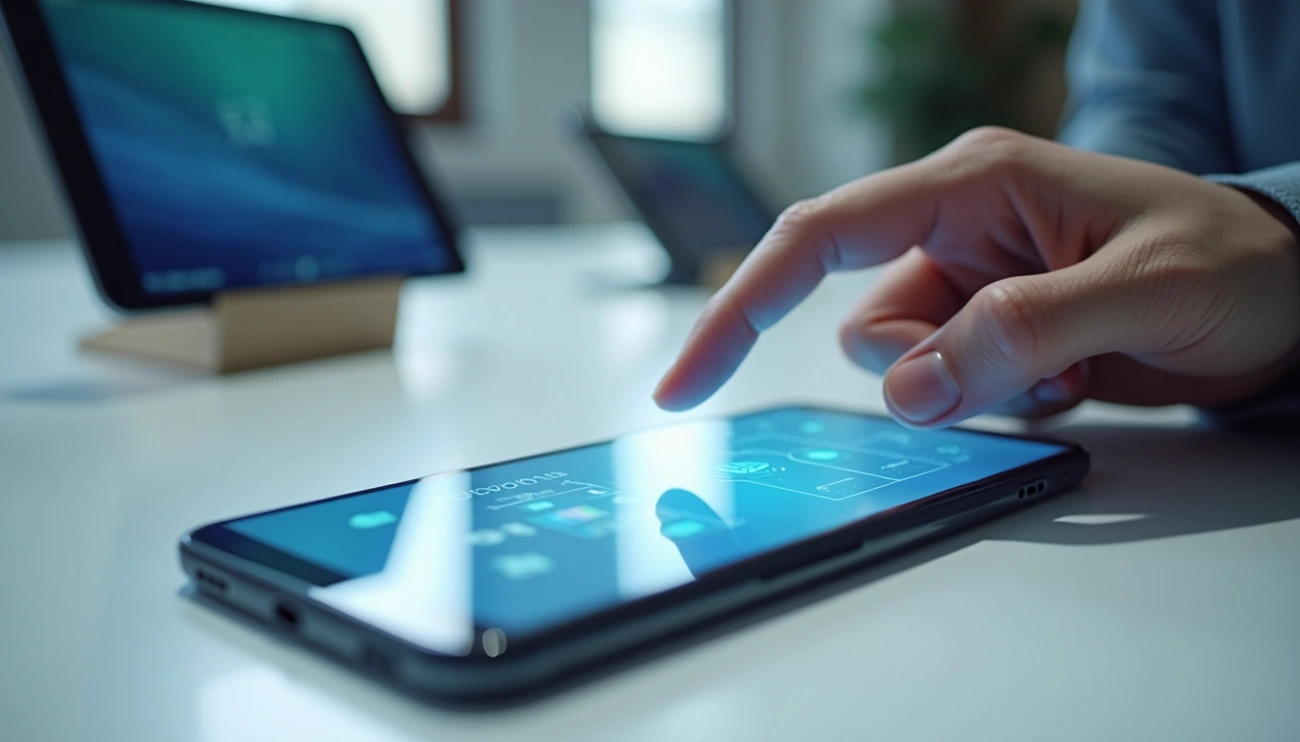
Every day, we tap, swipe, and pinch our screens without thinking about what happens underneath the glass. However, capacitive touchscreens are not “magic.” Instead, they use a conductive layer and sensors to detect how your finger changes an electrical field. As a result, your device can measure the exact touch location in milliseconds.
Why capacitive won
Fast response + strong clarity
Fingertip role
Conductivity changes the field
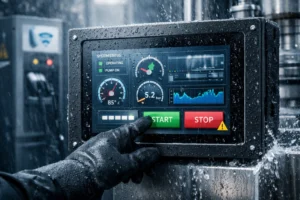
Outdoor reminder
Brightness + sealing matter
Why fingertips are the key
Capacitive touchscreens work because your body is conductive. When you touch the surface, your fingertip changes the electrical field on the sensor layer. Then the controller measures that change and calculates your touch position. As a result, a “tap” becomes a precise input signal.
This approach also improves display clarity. In general, capacitive structures can transmit more light than older pressure-based designs. Therefore, many devices achieve bright, crisp visuals while still supporting fast multi-touch gestures.
A touch screen is an electronic visual display that lets you interact directly with on-screen content. Instead of relying only on a mouse or keyboard, the screen can detect gestures such as tapping, swiping, pinching, and drawing.
Two core layers
A typical design combines a touch sensor panel (transparent) with a display (LCD, OLED, etc.). The sensor sits on top and detects user input.
Controller matters
The touch controller converts analog sensor changes into digital signals. Then the device can map touches to actions inside the UI.
Common gestures
- Tapping to select items
- Swiping to scroll content
- Pinching to zoom in or out
- Drawing and handwriting on the screen
- Sliding to navigate menus
Touch screens now appear in smartphones, tablets, laptops, point-of-sale systems, ATMs, industrial controls, medical devices, vehicles, and public kiosks. In addition, touch interfaces can support accessibility features through larger controls and gesture patterns.
Touch screen development spans decades. Early systems focused on stylus input and specialized environments. Later, capacitive sensing and multi-touch made touch interfaces mainstream for mobile devices.
Milestones (high level)
| Era | What happened | Why it matters |
|---|---|---|
| 1960s | Early touch concepts; finger-driven capacitive research by E.A. Johnson (1965) | Set the foundation for modern capacitive sensing |
| 1970s–1990s | Resistive touch grew in commercial and industrial devices | Worked with stylus and any object, but lower clarity |
| 2000s | Capacitive touch expanded rapidly in consumer devices | Enabled faster response and better optical performance |
| 2007 onward | Multi-touch popularized on smartphones | Made gestures standard: pinch, zoom, swipe, rotate |
Behind every tap, three elements work together: the touch sensor detects a change, the controller converts it into coordinates, and the software decides what to do. Therefore, a physical touch becomes a digital command.
Touch sensor
In capacitive systems, a conductive layer stores charge. When your finger approaches or touches, the local capacitance changes. Then the sensor array reports that change.
Controller
The controller measures signals from the sensor grid, calculates coordinates, and sends digital data to the main processor. As a result, the UI can react immediately.
Step-by-step: from touch to action
| Step | What happens | What you see |
|---|---|---|
| 1) Contact | Your finger touches the glass and changes the local field | A tap begins |
| 2) Detection | Sensors measure capacitance differences at multiple points | Location is identified |
| 3) Processing | Controller converts analog changes into digital coordinates | Coordinates are transmitted |
| 4) Interpretation | Software maps coordinates to UI elements and gesture logic | Tap or swipe is recognized |
| 5) Response | The device executes the action and updates the display | App opens, page scrolls, or zoom occurs |
A capacitive screen detects changes in an electrostatic field. Therefore, it needs a conductive input to create a measurable change. Your skin conducts electricity, so a bare finger works naturally. However, many gloves are insulating, so the screen cannot “see” the touch.
- Regular gloves: block electrical coupling, so touches may not register.
- Conductive gloves: include conductive fibers, so the screen can detect the touch.
- Conductive stylus: mimics fingertip coupling and supports precise input.
Touch screens come in several varieties. Each technology detects touch differently, so performance varies by environment. Therefore, matching the technology to the use case matters.
| Technology | How it detects touch | Typical strengths |
|---|---|---|
| Capacitive | Measures changes in an electrostatic field | Fast response, high clarity, multi-touch |
| Resistive | Registers pressure when two layers connect | Works with any object, reliable in some harsh conditions |
| Infrared | Detects beam interruptions across the surface | Durable, supports various input objects |
| Surface Acoustic Wave | Measures changes in ultrasonic waves on glass | High optical clarity, robust glass surface |
| Optical imaging | Uses sensors/cameras to detect touch shadows | Works with many objects, scalable sizes |
| Projected capacitive (P-Cap) | Grid-based capacitive sensing for precision | High accuracy multi-touch, better environmental tolerance |
Touch interfaces now power most consumer devices. In addition, they are common in professional systems where speed and usability matter.
- Smartphones and tablets: everyday multi-touch interaction
- Laptops and 2-in-1 devices: flexible input for productivity and creativity
- Retail POS systems: faster transactions and simpler training
- Medical equipment: monitoring and diagnostics interfaces
- Industrial equipment: rugged panels for harsh environments
- Public kiosks and ATMs: intuitive, self-service user flows
Key takeaways
- Capacitive touchscreens detect touch by measuring capacitance changes caused by conductive fingertips.
- Touch sensors, controllers, and software work together to convert touch into action in milliseconds.
- Different touch technologies exist, and each fits different environments and size targets.
- Outdoor kiosks and EV chargers often require higher brightness and stronger sealing than indoor devices.
FAQs
How do touchscreens detect finger touches?
Capacitive touchscreens use a conductive layer and sensors to measure changes in an electrostatic field. When your finger touches the surface, it changes local capacitance, and the controller calculates the touch location.
Why don’t regular gloves work on touchscreens?
Many gloves are insulating. Therefore, they block electrical coupling and the screen cannot detect a capacitance change. Conductive gloves or a conductive stylus can solve this issue.
What are the main types of touchscreen technologies?
Common types include capacitive, resistive, infrared, surface acoustic wave, optical imaging, and projected capacitive (P-Cap). Each uses a different sensing method and fits different use cases.
How fast do touchscreens respond to input?
The sensing and processing chain is extremely fast. In practice, it feels instant because detection and interpretation happen in milliseconds.
Where are touchscreens commonly used besides smartphones?
They are used in tablets, laptops, POS systems, medical equipment, industrial controls, ATMs, and public kiosks. Outdoor terminals also rely on touch, but they typically require higher brightness and sealing.
Recommended next steps
Explore recommended configurations for high brightness, sealing, and field reliability.
See how touch screen solutions change across industries and environments.
Review industrial options, sizes, and integration considerations.
Understand IP ratings, optical bonding, LCD choices, and what to specify.
Share your environment and requirements. Then we will suggest a suitable configuration and validation approach.