.png)
Industrial touch displays work in tough places. First, this guide lists the 10 problems you see most often. Next, it shows simple fixes that teams can use in the field. Then, it explains what will improve after each fix. In short, you get a clear path to better uptime, easier use, and lower cost.On this page:Comparison · IP sealing · EMI/ESD · Gloves & moisture · Reliability · Sunlight · Scratch/impact · Chemicals · Vibration · Mounting · TCO
For a broader technology overview before you dive into each problem, review the industrial touch screen buyer’s guide and align on size, glass, and touch technology.
At‑a‑Glance Comparison
| # | Pain Point (Industrial) | Engineering Solution | Expected Impact (Measurable) |
|---|---|---|---|
| 1 | Ingress protection too low; screens fail with water/dust (IP65+) | One‑piece cover glass + full lamination (OCA/LOCA); dual seals (gasket + adhesive); IP67 cable glands & strain relief | Front IP65/66 verified; longer service life; fewer water/dust failures |
| 2 | EMI/ESD noise causes ghost touches & crashes | PCAP controller with shield (ITO/metal mesh); reference‑plane integrity; filtered power (TVS, CMC); shielded twisted pairs | Stable touch near motors; easier IEC 61000‑4‑2/‑4‑3 compliance |
| 3 | Poor operation with gloves or moisture | PCAP firmware for thick‑glove & water rejection; higher Tx/Rx SNR; AF hydrophobic coating | Reliable input with 2–3 mm gloves and droplets; fewer mis‑touches |
| 4 | Reliability issues: yellowing, delamination, shock/vibration | Full lamination; UV‑stable adhesives; thermal expansion slots; anti‑loosen fasteners | Robust optics; no bubbling; improved MTBF in harsh sites |
| 5 | Low sunlight readability; reflections | 1000–1500 nits backlight; full bonding; AG/AR combo | 50%+ better readability in bright light; fewer errors |
| 6 | Easy to scratch or chip; frequent maintenance | 3.0–6.0 mm tempered glass, IK07–IK08; rounded edges; AF coating | Higher scratch/impact resistance; lower maintenance cost |
| 7 | Chemical cleaners degrade optics & touch | Chem‑resistant glass & coatings; wipe/soak validation (IPA/cleaners); compatible seals & connectors | Surface stays clear and functional after repeated cleaning |
| 8 | High vibration/shock (presses, CNC, vehicles) | Structural bonding; FPC reinforcement; conformal coat; random vibration & shock tests | No dropouts/blackouts; stable in long‑term vibration |
| 9 | Poor front fit & finish; leak paths from mounting | Standardized cut‑out & clamp drawings; controlled gasket compression & torque; 100% sealing QA | Faster assembly; consistent appearance; lower leak rate |
| 10 | Budget pressure; lifecycle cost overruns | Tiered SKUs: Base / Enhanced / Outdoor; TCO model (downtime, service, spares); modular I/O | Lower TCO while meeting performance over 3–7 years |
1) Ingress Protection (IP65+)
Problem: Oil mist, dust, and spray cleaners get in through weak gaps and bezels.
Fix: First, use a one‑piece tempered cover glass with full optical bonding (OCA/LOCA). Next, add two seals: a gasket and adhesive. Finally, use IP67 cable glands and strain relief.
Result: As a result, the front reaches IP65/66. Therefore, wash‑downs cause fewer failures and the screen lasts longer.
2) EMI / ESD Robustness
Problem: Drives and welders create noise that causes ghost touches and resets.
Fix: First, choose a shielded PCAP stack (ITO or metal mesh). Next, keep the ground plane solid and add power filters (TVS and common‑mode chokes). Finally, route key signals in shielded twisted pairs.
Result: Consequently, touch stays stable near motors. In addition, passing IEC 61000‑4‑2/‑4‑3 is easier.
3) Gloves & Moisture Usability
Problem: Gloves and water drops make touch jumpy.
Fix: First, load a firmware profile for thick gloves and water rejection. Next, raise the sensor signal‑to‑noise. Also, add an AF top coat to shed water.
Result: As a result, workers can tap with 2–3 mm gloves and in wet spots with fewer mis‑touches.
4) Long‑Term Reliability (UV/Heat/Vibration)
Problem: Heat, sun, and shock cause yellowing, bubbles, and loose parts.
Fix: First, use UV‑stable bonding. Then, add slots for thermal growth and use fasteners that will not loosen.
Result: Therefore, optics stay clear and parts stay tight. In short, field returns drop.
5) Sunlight Readability
Problem: In bright light, the screen is hard to read and errors rise.
Fix: First, raise the backlight to 1000–1500 nits. Next, bond the stack to cut reflections. Finally, add AG/AR coatings.
Result: As a result, contrast improves in 10–50k lux light and users make fewer mistakes.
When brightness and glare are the main pain points, pair this checklist with our sunlight readable display guide]and optical bonding guide to lock down the front-glass design.
6) Scratch & Impact Resistance
Problem: Dust and tools scratch or chip the glass.
Fix: First, choose 3–6 mm tempered glass and aim for IK07–IK08. Next, round edges and add buffers. Also, use AF for easy cleaning.
Result: Therefore, screens last longer and maintenance costs go down.
7) Chemical Resistance
Problem: Alcohol and cleaners cloud coatings and weaken seals.
Fix: First, pick glass and coatings that resist chemicals. Next, run wipe and soak tests with IPA and common cleaners. Finally, choose gaskets and potting that match the chemistry.
Result: As a result, the surface stays clear and touch keeps working after many cleanings.
8) Vibration & Shock
Problem: Presses, CNC machines, or vehicles cause dropouts.
Fix: First, bond the structure and stiffen the FPC. Next, conformal‑coat key parts. Then, test to IEC 60068 for random vibration and shock.
Result: Therefore, the display and touch stay stable over long duty cycles.
9) Mounting & Aesthetics
Problem: Bad cut‑outs and wrong torque create leaks and loose panels.
Fix: First, provide cut‑out and clamp drawings. Next, define gasket compression and torque windows. Finally, inspect sealing and cosmetics at 100%.
Result: Consequently, assembly is faster, the front looks clean, and leaks are rare.
10) Cost & Lifecycle (TCO)
Problem: Focusing only on unit price raises lifetime cost.
Fix: First, offer Base / Enhanced / Outdoor tiers. Next, use a TCO sheet that includes downtime, service, spares, and life. Finally, keep I/O modular.
Result: In short, you meet the need and cut TCO over 3–7 years.
Recommended Spec Block (copy into RFQs)
- Sizes: 10.1″ / 15.6″ / 21.5″
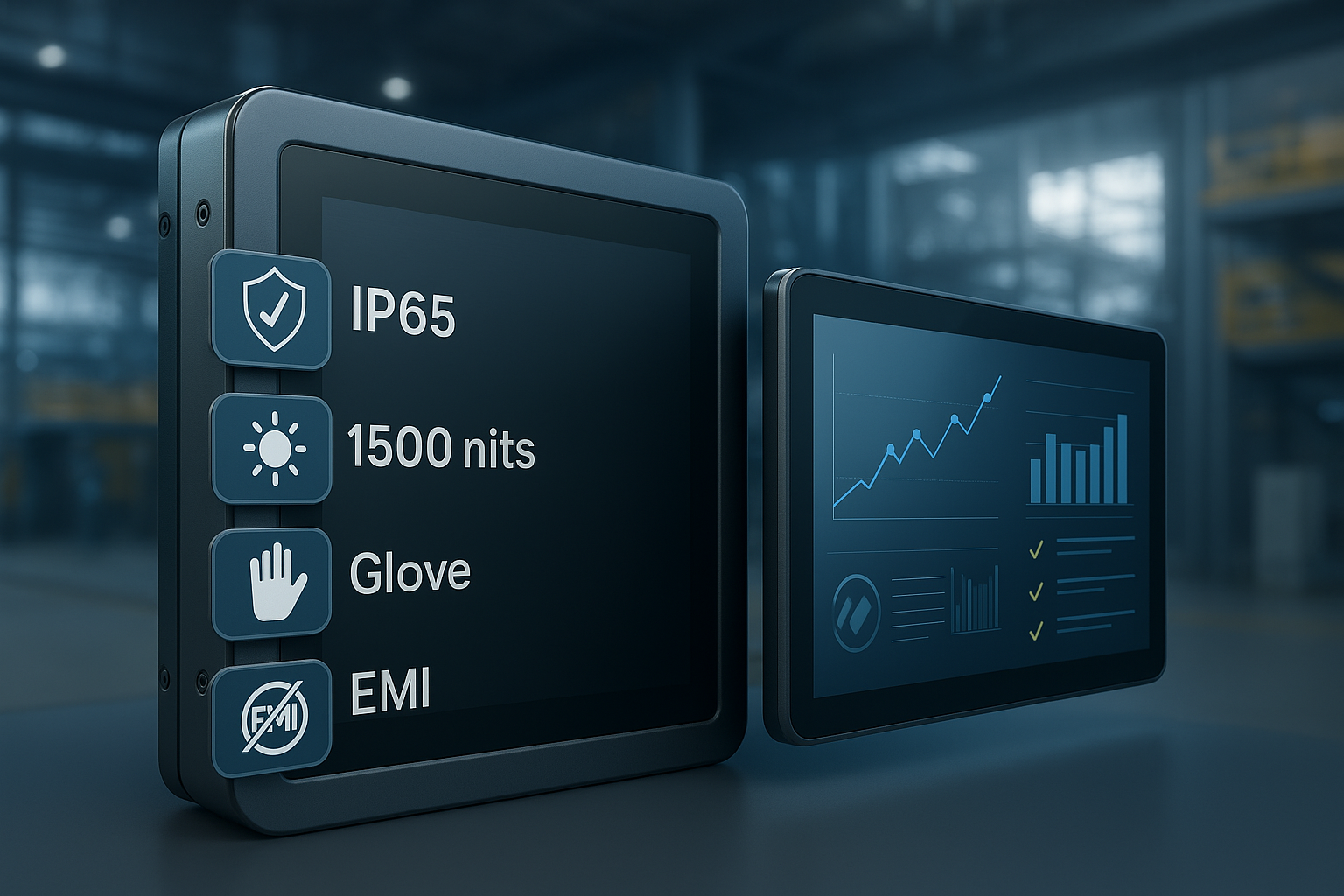
- Brightness: 1000–1500 nits (sunlight options)
- Touch: PCAP multi‑touch; glove 2–3 mm; water rejection
- Glass: ≥3.0 mm tempered; AG + AR + AF; IK07–IK08
- Front protection: IP65/66; sealed connectors & strain relief
- Bonding: Full optical bonding (OCA/LOCA)
- I/O: HDMI/DP, USB‑HID, RS‑232/485, LAN; ready for printer/scanner/camera/card‑reader
- Environment: −10…60 °C, ≤95% RH (no condensation)
- Compliance targets: IEC 61000 EMC/ESD, IEC 60068 vibration/shock, IEC 60529 IP
FAQ
What is the best way to reach IP65 on the front panel?
Use one‑piece cover glass with full optical bonding, dual sealing, and IP67 cable glands.
Can PCAP work with gloves or water?
Yes. Load a glove-and-water firmware profile, raise sensor SNR, and apply an AF coating.
How to improve sunlight readability?
Use 1000–1500 nits backlight, full bonding to cut reflections, and AG/AR coatings.
Panel PC or touch monitor + external IPC?
Panel PC is faster to deploy; the monitor + IPC path is easier to maintain and scale.
Need a spec‑matched sample?
Share your size, brightness, mounting and I/O needs—we can ship an evaluation Panel PC or Touch Monitor in 7–10 days.
If you’re facing several of these issues in one project, share your constraints and we’ll propose custom industrial touch screen solutions that reduce risk before pilot builds.