.png)

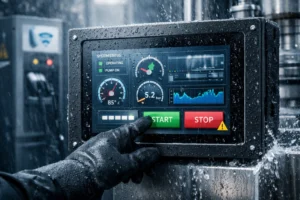
Outdoor display equipment optimization is crucial as outdoor displays serve smart cities, transit, and digital signage. However, sun, rain, dust, and wide temperatures push hardware to the limit. Therefore, this guide turns real pain points into simple upgrades you can build now. As a result, screens stay readable, stable, and safe for years.
1) Background: Fast Growth and Harsh Outdoor Conditions
With smart-city rollouts and public information systems, outdoor display equipment is everywhere. Consequently, every detail—sealing, optics, thermal design, and power control—matters. A weak link can cause downtime or shorten service life.
2) Ten Technical Pain Points
In practice, teams report the issues below:
- Poor visibility under direct sunlight.
- Thermal faults across −30 °C to 60 °C environments.
- Ingress protection below IP65 leads to leaks and dust.
- Weak resistance to salt spray and industrial corrosion.
- Heat build-up during 24/7 operation shortens lifespan.
- Dust clogs airflow and hurts image quality.
- Strong reflections and glare reduce contrast.
- Aging of coatings and gaskets increases risk over time.
- Limited language support for global deployments.
- Hard fleet maintenance; remote diagnosis is limited.
3) Improvement Measures and Technical Solutions
3.1 High-Brightness, Anti-Glare Displays
First, raise luminance to 1500–2500 cd/m². Then, use low-haze optical bonding and AG/AR coatings. As a result, content stays readable at noon.
Touch stack tips: see PCAP touch solutions.
3.2 Sealed Construction with Pressure Equalization
Adopt a sealed front and UV-stable gaskets. In addition, add a membrane breather valve to stop condensation. Consequently, ingress and fogging both drop.
For sealing methods and IP thinking, review waterproof touch screens (IP65).
3.3 IP65+ Enclosures and Materials
Use aluminum or stainless chassis with anti-rust fasteners. Therefore, systems meet IP65 or higher and resist jets and dust.
3.4 Salt-Spray and Corrosion Protection
Apply AC coatings or anodizing to metal parts and conformal coat to PCBs. Hence, coastal deployments hold up better.
3.5 Intelligent Thermal System
Start with a fanless spreader. If needed, add a directed airflow tunnel and filtered fans with thermal feedback. Thus, components stay in the safe band.
3.6 Dust Mitigation and EMI Shielding
Use high-density filters, gasketed doors, and conductive shielding around noisy modules. Consequently, dust load and interference both decrease.
3.7 Anti-Reflection and Polarization
Adopt multi-layer AR stacks and a matched polarizer. Therefore, reflections fall and black levels improve.
3.8 UV-Resistant Coatings and Long-Life Gaskets
Select UV-stable top coats and silicone gaskets with proper Shore hardness. As a result, aging slows and maintenance cycles extend.
3.9 Multi-Language CMS and Remote Monitoring
Support multi-language content, OTA firmware, and alarm dashboards. Meanwhile, remote updates cut site visits.
3.10 Smart Power and Energy Management
Adopt modular PSUs and ambient-sensor brightness control. Consequently, energy use drops while visibility stays high.
4) Expected Results and Value
- Clear images in full sun with strong contrast.
- Stable operation from deep cold to intense heat.
- IP65+ sealing blocks dust and water while resisting corrosion.
- Lower peak temperatures and longer component life.
- Cleaner optics and air paths after dust control upgrades.
- Lower glare and richer colors for better UX.
- Reduced energy cost via adaptive brightness and efficient drivers.
- Global rollouts supported by multi-language CMS.
- Service life extended by 30%+ with UV-stable coatings and thermal design.
- Lower operating cost through remote monitoring and OTA updates.
5) Future Trends: Smarter and Greener Outdoor Systems
- AI auto-brightness that tracks ambient light and usage.
- Low-power LEDs and eco coatings for carbon goals.
- Edge computing for local decisions with cloud sync.
- Modular, recyclable structures that support circular design.
6) FAQs
How can screens stay readable in sunlight?
Combine high brightness, optical bonding, and AG/AR coatings. Therefore, contrast remains high at noon.
What does IP65 mean?
It is dust-tight and resists low-pressure water jets. Consequently, it fits most outdoor sites when paired with a good breather valve.
How do we remain stable in hot or cold weather?
Use an intelligent thermal path, sensors, and fan control. As a result, core parts stay in the safe band.
Which energy-saving tools work best?
AI brightness control, efficient drivers, and standby policies. Therefore, power drops without losing clarity.
How do we slow down outdoor aging?
Apply UV-resistant top coats, anodizing, and silicone gaskets. In addition, keep seals clean and replace on schedule.
Why is remote management important?
Cloud monitoring enables fault alerts and quick OTA fixes. Consequently, site visits and downtime both decrease.
7) Conclusion
Outdoor displays improve when optics, sealing, thermal design, and power control work together. In short, these ten steps raise readability and reliability while cutting cost.
Related reading: PCAP touch solutions · waterproof touch screens (IP65) · industrial touch screens · touch screen HMI applications
© EverGlory — Outdoor display engineering notes and deployment guidance.