.png)

A capacitive touch screen lets you use your device by touching it with your finger. You see this technology in most smartphones and tablets today. Other screens need you to press down hard. This type works fast with just a light touch. It uses electrical signals from your skin. This gives quick and accurate results.
| Feature | Capacitive Touch Screens | Resistive Touch Screens |
|---|---|---|
| Responsiveness | Very fast and accurate | Slower because it needs pressure |
| Durability | Strong and hard to break | Not as strong, easier to damage |
| User Interaction | Can use many fingers and gestures | Only works with one touch and pressure |
| Application Suitability | Great for phones and tablets | Good for factories and hospitals |
Key Takeaways
- Capacitive touch screens react fast to gentle touches. This makes them great for smartphones and tablets. These screens let you use more than one finger at a time. You can pinch, zoom, and swipe with ease. Capacitive screens show bright and clear pictures. This helps when you read, play games, or watch videos. Capacitive screens do not need you to press hard. They are easier to use and answer faster than resistive screens. Regular gloves and normal styluses will not work on these screens. You need special gloves or styluses made for touch screens.
capacitive touch screen basics
What It Is
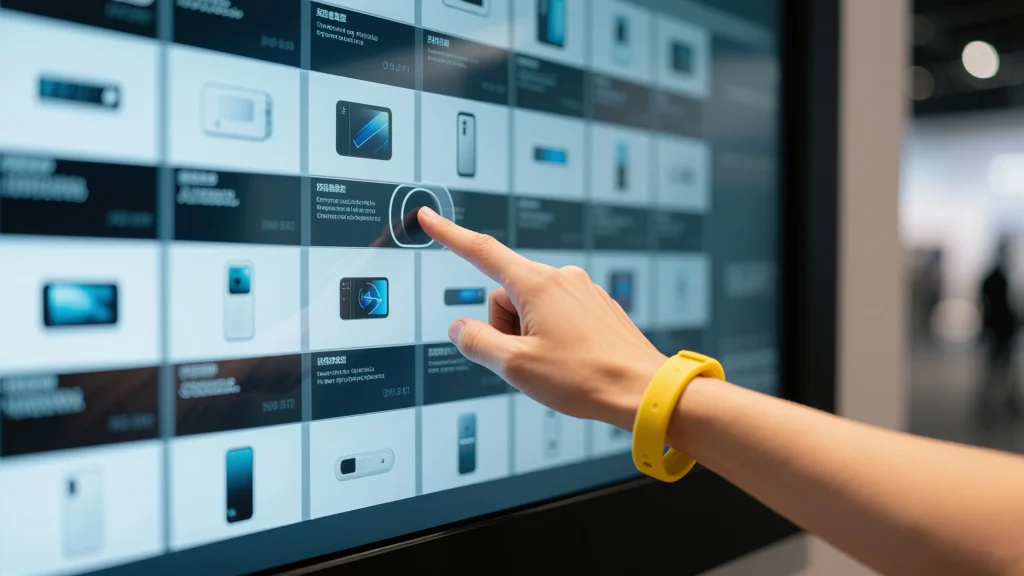
A capacitive touch screen lets you use a device by touching it with your finger or a special stylus. This technology senses the electricity in your body. You do not need to press hard. A light tap is enough. The screen responds fast and gives you smooth control.
Did you know? E.A. Johnson invented the first capacitive touch screen in October 1965. This invention changed how people use machines. The design got better over time. In the 1990s, more devices started using this technology. The iPhone came out in 2007 and made capacitive touch screens very popular.
How It Works
A capacitive touch screen senses changes in electrical charge. When you touch the screen, your finger changes the screen’s capacitance. The touch controller inside the device detects this change and knows where you touched.
- The screen has several layers. The top layer is glass or strong plastic. Underneath, there is a thin, clear coating made from materials like indium tin oxide (ITO). This coating makes an even electrostatic field across the screen.
- When you touch the screen, your finger acts as a conductor. It takes some charge from the electrostatic field. The system senses this change and records your touch as a command.
- The human body acts as a dielectric. Your touch increases the total capacitance, which the device can measure.
Here is a table showing the main materials used in a capacitive touch screen:
| Material Type | Description |
|---|---|
| Cover Glass | Protects the screen and is the touch surface. It can be chemically strengthened or tempered for durability. |
| Touch Sensor Layer | Detects changes in capacitance. Common materials are ITO, metal mesh, silver nanowires, and graphene. |
| Substrate Materials | Supports the sensor layer. Often made from glass, PET, or polyimide for flexibility and strength. |
| Adhesive Materials | Bonds the layers together. Optically clear adhesives keep the screen clear and free of air gaps. |
You do not need pressure for a capacitive touch screen to work. It only needs the electrical properties of your finger. This makes it more responsive and accurate than older touch screens. New features like multi-touch and flexible displays make these screens even more useful. Today, you use this technology every time you swipe, tap, or zoom on your phone or tablet.
features
Sensitivity
A capacitive touch screen reacts fast when you touch it. You do not have to press hard. Even a soft tap works well. The screen is sensitive because of different things:
| Factor | Description |
|---|---|
| Material and Thickness | Clear materials like ITO and thin layers help the screen feel touches better. |
| Electrode Density | More electrodes help the screen find your finger more exactly. |
| Controller Design | Smart controllers block extra signals and always notice your touch. |
| Environmental Factors | Heat and wetness can change how the screen works, so makers build screens to handle these things. |
These features give you a smooth and quick experience. You can swipe, tap, or drag with little work.
Tip: If your screen does not work well, look for dirt or water. Clean screens work best.
Multi-Touch
A capacitive touch screen lets you use more than one finger. This is called multi-touch. You can pinch to zoom or swipe with two fingers. These moves make your device easier to use.
- Multi-touch lets you do things like pinch-to-zoom and scroll with two fingers.
- The screen knows patterns like swiping and tapping, so you move through apps fast.
- You get easy control because the screen copies your finger moves.
- Smart controllers can tell real touches from mistakes.
- Artists and gamers like multi-touch because it helps them create and play.
- You use the same gestures on many devices, so you do not need to learn new ways.
You can play games, draw, or use apps that need more than one touch. Multi-touch makes your device more fun and helpful.
Image Quality
A capacitive touch screen shows bright and clear pictures. The screen has sharp colors and strong contrast. You can change the brightness and contrast to fit what you need. This helps you see the screen in sunlight or in the dark.
- You can change display settings to see better in different light.
- The screen lets you enjoy bright colors and clear details.
- Good image quality makes reading, watching videos, and playing games better.
Note: Most capacitive touch screens do not work with normal gloves or regular styluses. These things do not carry electricity, so the screen cannot sense them. You need special gloves or a stylus made for touch screens if you want to use them.
capacitive touch screen vs other types
Resistive Touch Screens
You might wonder how resistive touch screens are different from capacitive ones. Resistive screens have two thin layers that touch when you press down. You need to push harder to use them. You can use your finger, a stylus, or even a gloved hand on a resistive screen.
Here is a table to help you compare them:
| Feature | Capacitive Touch Screens | Resistive Touch Screens |
|---|---|---|
| Accuracy | High sensitivity, supports multi-touch | Needs more pressure, less sensitive |
| Durability | Can scratch easily, sensitive to moisture | Robust, handles impacts and harsh conditions |
| Cost | Higher | Lower |
| Input Methods | Needs bare finger or special stylus | Works with any object |
Resistive screens are good for places like factories or hospitals. They can handle dust, water, and rough use. You might see them in ATMs or old devices. But they do not feel as smooth or fast as capacitive touch screens.
Tip: If you need a screen for tough jobs or outside, resistive is a good pick. For phones and tablets, most people choose capacitive screens.
Other Technologies
There are also other types of touch screens in technology. Each one works in its own way.
| Technology Type | Description |
|---|---|
| Surface Acoustic Wave (SAW) | Uses sound waves on the screen. When you touch it, the waves stop and show where you touched. |
| Infrared (IR) Technology | Sends invisible light beams across the screen. Your finger blocks the light, and the system finds your touch. |
| Optical Touch Screens | Uses cameras to see shadows from your finger or object. These are good for big screens and multi-touch. |
These screens are used for different things. For example, you might see infrared or optical screens in big kiosks or displays. They work with many objects and can cover large areas.
Most smartphones and tablets use capacitive touch screens. This is because they react fast, let you use more than one finger, and feel smooth. You can swipe, tap, and zoom with your fingers. The screen looks bright and clear. Most people like this kind for everyday use.
Note: Capacitive screens are fast and easy to use. They make your phone or tablet fun and simple.
applications

Mobile Devices
You use a capacitive touch screen on your phone or tablet. This technology makes your device quick and simple to use. You can tap, swipe, and zoom with your fingers. The screen reacts to even a soft touch. You do not need to press hard. Multi-touch lets you use more than one finger. You can pinch to zoom in on pictures. You can swipe through your favorite apps. The screen shows bright colors and clear images. Games and videos look awesome.
| Feature | Benefit |
|---|---|
| Sensitivity | Finds even soft touches for fast and easy use. |
| Multi-touch capability | Lets you do things like pinch-to-zoom and swipe. |
| Gesture recognition | Lets you use the screen without buttons. |
| Intuitive navigation | You touch things on the screen to move around. |
| Accuracy | Gives exact touch detection for better control. |
| Seamless integration | Touch works smoothly with cool animations. |
Tip: You can use your phone or tablet with one hand. The screen reacts quickly.
Computers and Monitors
Capacitive touch screens are in many computers and monitors. These screens help you use your device in a simple way. You can tap, drag, or use gestures to move through menus. Many laptops and desktop monitors have touch screens now. This makes it easier to draw, write, or play games. The screens work well with high-resolution displays. You see sharp images and bright colors.
- You can use multi-touch moves like tapping, swiping, and pinching.
- The screen reacts fast, so work and play feel smooth.
- Over 90% of touch screen devices use capacitive screens now.
Note: Touch screens in computers help you work faster. They also make learning more fun.
Everyday Uses
Capacitive touch screens are everywhere you go. ATMs, kiosks, and ticket machines use them for quick service. Many cars have touch screens for music, maps, and calls. Smart refrigerators and ovens use touch screens for easy controls. Hospitals use them in patient monitors and medical devices. Factories use them in control panels to make work safer and faster.
| Device Type | Example Use |
|---|---|
| Smartphones and Tablets | Apple iPhone, Samsung Galaxy |
| Industrial Control Panels | Manufacturing and automation |
| Medical Devices | Patient monitors, diagnostic equipment |
| Home Appliances | Smart refrigerators, ovens |
| Automotive Displays | Car navigation and entertainment systems |
Callout: Businesses pick capacitive touch screens for ATMs and kiosks. These screens react fast, show clear icons, and last a long time. They help keep your info safe with on-screen PINs and random numbers.
You use a capacitive touch screen all the time. You can swipe, tap, or zoom on it. This technology is very sensitive. It lets you use more than one finger at once. The screen shows clear and bright pictures. The design looks smooth and new. It is simple to clean and does not break easily.
- It reacts quickly
- You can use many fingers
- It looks stylish
- It is strong
- Cleaning is simple
When you use your phone or tablet, see how fast it works. This smart screen helps make things easier and more fun for you.
FAQ
What happens if you use a regular pen or pencil on a capacitive touch screen?
A regular pen or pencil will not work. The screen needs something that can carry electricity, like your finger or a special stylus. You will not see any response from the screen.
Can you use a capacitive touch screen with gloves?
Most gloves block the electrical signal from your finger. The screen will not sense your touch. You can buy special touchscreen gloves that let you use your device in cold weather.
Why does your touch screen sometimes not work when wet?
Water can confuse the screen. It changes the electrical signals, so the device may not know where you touched. Dry your hands and the screen for better results.
How do you clean a capacitive touch screen safely?
- Turn off your device.
- Use a soft, dry cloth.
- Do not use strong cleaners or too much water.
- Gently wipe the screen to remove dirt and fingerprints.
Tip: Cleaning your screen often helps it work better and look clear.