
Parking Terminal HMI Guide
How to Specify a Parking System Touch Screen HMI
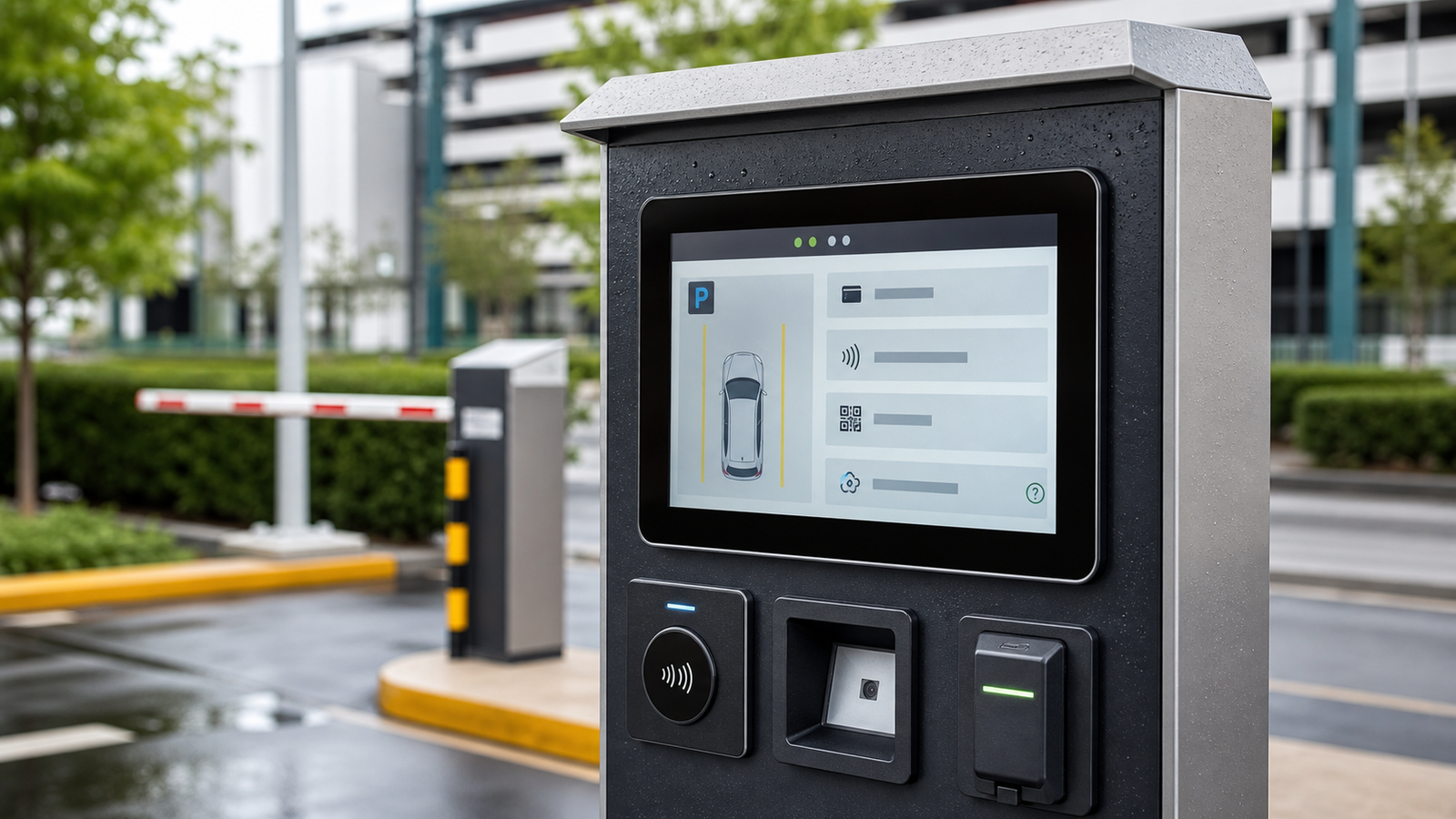
Parking terminals combine payment, license plate recognition, gate control, receipt printing, intercom and customer guidance in one public-facing device. A weak display can create long queues, failed transactions and more field service visits. A strong parking system touch screen HMI should be readable in daylight, responsive in rain, protected from impact and easy to maintain inside a compact cabinet.
Quick Selection Answer
For outdoor parking payment kiosks and gate terminals, choose a PCAP touch screen monitor or touch display module with at least IP65 front sealing, sunlight readable brightness, wet touch tuning, tempered cover glass and stable connector protection. For indoor parking lobbies, brightness and sealing can be lower, but the display should still support high touch frequency, simple cleaning and long lifecycle availability.
Parking HMI Design Matrix
| Parking Scenario | Main Risk | Recommended Display Direction | Validation Point |
|---|---|---|---|
| Outdoor entry/exit payment kiosk | Sunlight, rain, queues and public impact. | 1000 nit class display, optical bonding or AG glass, IP65 front and strengthened glass. | Readability at noon, rain touch and service door clearance. |
| Indoor pay station | High-frequency tapping and cleaning. | PCAP touch, anti-fingerprint glass and durable front surface. | Touch accuracy after cleaning and long-hour burn-in. |
| Barrier gate operator HMI | Glove operation, vibration and fast response. | Compact industrial monitor with glove touch tuning and stable mounting. | Touch response with gloves and vibration during gate operation. |
| EV parking and charging payment terminal | Outdoor exposure plus payment flow complexity. | Outdoor self-service HMI design with IP65, IK review, high brightness and wet touch. | Transaction flow test in rain, sun and night dimming mode. |
Key Engineering Requirements
Sunlight Readability
Parking equipment is often installed where the screen catches direct or reflected sunlight. Brightness alone is not enough. The optical stack should review LCD brightness, contrast, cover glass reflection, optical bonding, AG/AR treatment, cabinet angle and heat buildup.
Wet Touch and False Touch Control
Rainwater on glass can change the capacitive field and cause false touches if the controller is not tuned for outdoor use. For exposed parking terminals, test wet touch with real UI buttons, not only a desktop drawing tool.
Mechanical Protection
Parking kiosks are public equipment. The cover glass edge, front frame, gasket, screw structure and service route should be reviewed together. A strong glass sheet can still fail if the edge support is weak.
Payment Device Integration
Card reader, NFC reader, QR scanner, receipt printer and intercom components can limit screen size and connector direction. Confirm the display drawing before final cabinet tooling.
Specification Checklist
| Item | Typical Direction | Why It Matters |
|---|---|---|
| Size | 10.1 to 21.5 inches | Balances UI readability, cabinet space and payment device layout. |
| Brightness | 700 to 1000+ nits for outdoor | Helps drivers read prompts without leaning into the terminal. |
| Front protection | IP65 front, tempered glass, optional IK review | Reduces rain, dust and public damage failures. |
| Touch tuning | PCAP with wet touch and glove touch testing | Improves reliability in rain, winter and cleaning conditions. |
| Interface | HDMI/VGA/DP plus USB touch, or module interface | Must match the host controller and cable length. |
Outdoor Structure: More Than a Bright Screen
A parking payment terminal is usually installed in a narrow cabinet with a barrier gate, payment reader, QR scanner, intercom and network device. The touch display has to survive sun, rain, dust, vibration from nearby equipment and frequent public use. The outdoor result depends on the full front stack: LCD, touch sensor, cover glass, gasket, front frame, cabinet angle and rear cable protection.
| Layer | Design Choice | Parking-Specific Reason |
|---|---|---|
| LCD | High brightness with thermal review. | Drivers must read payment steps from a seated position in daylight. |
| Touch sensor | PCAP with wet touch tuning. | Rain and wet fingers should not cancel or trigger transactions. |
| Cover glass | Tempered glass with AG or AR option. | Reduces glare and improves durability in public equipment. |
| Front sealing | IP65 front gasket and controlled compression. | Keeps rain and dust from entering around the active display area. |
| Rear integration | Protected connector direction and serviceable cable route. | Prevents moisture collection and shortens field replacement time. |
User Flow and Interface Requirements
Parking users are often in a hurry, may be seated in a vehicle, and may interact through a window. The touch screen specification should support the user flow, not only the electrical interface. Larger buttons, strong contrast, simple steps and reliable touch at the screen edges reduce failed payments and repeated tapping.
- Entry and exit speed: the UI must respond quickly enough that drivers do not repeat taps while waiting for a gate action.
- Payment clarity: QR, NFC, card and receipt steps should remain readable in bright light and at night.
- Accessibility: screen angle and mounting height should support both driver-side and pedestrian use if required.
- Maintenance messaging: error prompts should be readable even when the terminal is wet or partially shaded.
Acceptance Test Plan for Parking Kiosks
| Test | How to Run It | Pass Criteria |
|---|---|---|
| Daylight readability | Check the screen at expected installation angle in strong sun. | Payment prompts and buttons remain readable without user guessing. |
| Rain operation | Apply water film and droplets while running the real payment UI. | No repeated false touches, stuck state or lost transaction steps. |
| Peripheral interference | Run NFC/card reader, QR scanner and host controller together. | Touch remains accurate with all modules powered. |
| Service replacement | Remove and reinstall display with final cabinet and harness. | No cabinet damage, no cable strain and clear replacement route. |
RFQ Details to Send
- Installation location: indoor, semi-outdoor or fully outdoor.
- Screen size, drawing, visible area and front opening size.
- Expected sunlight exposure and desired brightness.
- IP rating, impact risk, glass thickness and surface treatment.
- Host interface, cable length, connector exit direction and power input.
- Annual quantity, target lifecycle and replacement requirement.
Related Engineering Guides
FAQ
What brightness is suitable for a parking payment kiosk?
Indoor parking terminals may use 350 to 500 nits. Outdoor or drive-up payment kiosks often need 700 to 1000+ nits, and may also need optical bonding or anti-glare glass.
Does a parking kiosk touch screen need IP65?
If the front is exposed to rain, dust, washing or outdoor air, IP65 front sealing is a practical starting point. Full enclosure protection depends on the cabinet design.
Can PCAP touch work in rain?
Yes, but it should be tuned and tested for wet touch. The gasket, grounding, cable routing and UI button size also affect rain performance.

