
Washdown HMI Guide
How to Specify a Waterproof Car Wash Machine Touch Screen HMI
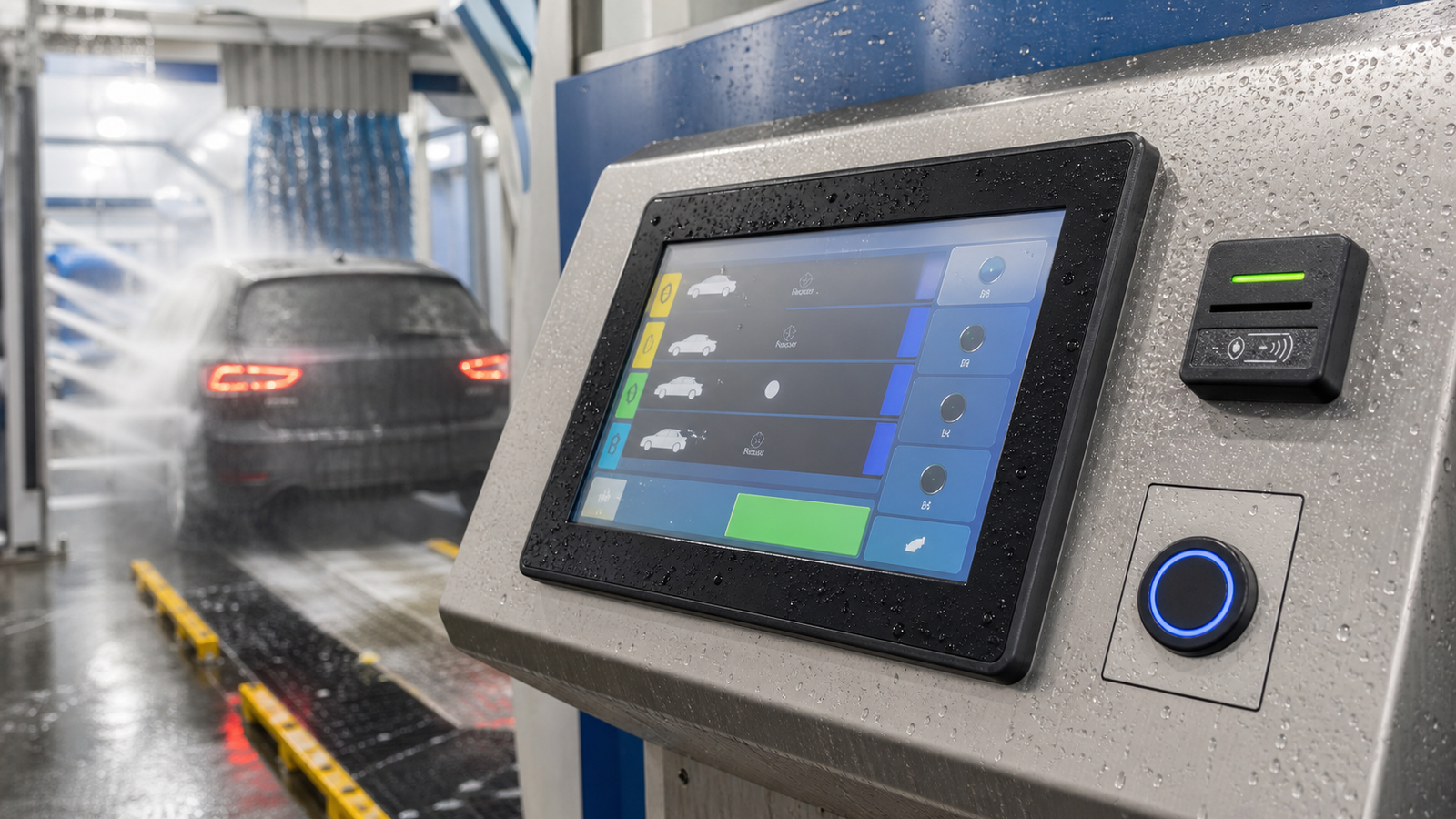
Car wash machines create one of the toughest environments for a touch display: water spray, foam, detergent, wax, sunlight, cold starts, wet fingers, gloves and repeated public tapping. A consumer display may work during a showroom demo, but it often fails once installed near pumps, dryers and outdoor wash bays. A car wash machine touch screen HMI should be specified as a sealed, cleanable and serviceable industrial interface.
Quick Selection Answer
For most self-service car wash machines, use an IP65 front or higher industrial PCAP touch display with tempered cover glass, wet touch tuning, anti-glare surface treatment and protected rear connectors. If the terminal is directly exposed to high-pressure spray, detergent or outdoor temperature swings, review the full enclosure, gasket compression, cable exit, drainage path and cleaning chemistry before sampling.
Why Car Wash Touch Screens Fail
| Failure Mode | Typical Cause | Better Design Direction |
|---|---|---|
| False touch with water on glass | PCAP controller not tuned for wet operation. | Wet touch firmware tuning, grounding review and larger UI touch targets. |
| Fogging or dull image | Condensation, air gap reflection or poor sealing. | Optical bonding where needed, sealed front glass and controlled ventilation. |
| Surface staining or coating damage | Detergent, wax, alkaline cleaner or repeated wiping. | Review glass coating, cleaning chemical compatibility and maintenance process. |
| Connector corrosion | Rear side exposed to moisture or water path inside cabinet. | Protected connector direction, drip loop, sealed cable gland and cabinet drainage. |
| Broken front glass | Public impact, cleaning tools or unsupported glass edge. | Tempered glass, controlled edge support and suitable front frame design. |
Recommended Specification Matrix
| Design Area | Recommended Direction | Review Before Production |
|---|---|---|
| Water protection | IP65 front as a minimum for wet user-facing panels. | Full equipment IP depends on rear enclosure, gasket and cable entry. |
| Touch performance | PCAP with wet touch and glove operation testing. | Test with foam, water film and realistic UI flow. |
| Optics | 500 to 1000 nit class brightness depending on outdoor exposure. | Check glare, sun angle, night brightness and heat rise. |
| Cover glass | Tempered glass with optional AG, AR or AF treatment. | Confirm chemical cleaning compatibility and PCAP sensitivity. |
| Mechanical structure | Panel mount, open frame or custom front assembly. | Confirm cutout, gasket compression, service removal and screw access. |
IP Rating, Spray Direction and Cabinet Reality
In car wash equipment, the most common mistake is treating an IP number as a complete machine guarantee. IP65 front protection means the display front can resist dust and water jets under defined test conditions. It does not automatically protect the rear controller board, power supply, cable entry, printer, payment reader or cabinet seams. For exposed wash bays, the equipment designer should define where water can hit, where it can collect and how it drains away.
| Exposure | Display Requirement | Cabinet Requirement |
|---|---|---|
| Occasional wet hand operation | Wet touch tuning and cleanable cover glass. | Basic front sealing and protected rear cavity. |
| Water spray near the terminal | IP65 front, gasket control and protected connectors. | Drip loop, cable gland and drainage path. |
| Frequent cleaning with detergent | Chemical-compatible glass/coating review. | Material compatibility for frame, labels and seals. |
| Direct high-pressure wash risk | Custom sealed assembly and careful validation. | Full enclosure review, shielding and water path testing. |
Chemical and Material Compatibility
Car wash chemicals can include detergents, wax, alkaline cleaners, degreasers and disinfectant-style wipes. The display supplier should not only specify glass thickness. The front film, coating, adhesive edge, gasket, printed border, enclosure material and labels all need to survive the maintenance process used by the operator.
| Material Area | Potential Issue | Review Method |
|---|---|---|
| Cover glass coating | Haze, staining or reduced AF performance. | Wipe test with real cleaning chemicals and cycle count. |
| Silicone or foam gasket | Compression loss or swelling. | Material compatibility check and compression set review. |
| Decorative border or printing | Peeling or discoloration. | Edge sealing and chemical exposure test. |
| Metal enclosure | Corrosion or paint damage. | Choose stainless or suitable coating for the installation zone. |
Touch UI Design for Wet Public Operation
A car wash HMI should be forgiving. Users may have wet hands, gloves, soap residue or poor visibility through water droplets. The hardware and the UI need to be designed together. Large buttons, generous spacing, clear progress states and a physical emergency or start/stop control can reduce user confusion and service calls.
- Use larger touch targets for wash packages, payment confirmation and start commands.
- Avoid placing critical buttons at the very edge where water and gasket effects are strongest.
- Use high-contrast UI colors that remain visible through droplets and reflections.
- Test the real UI with wet hands instead of only checking touch coordinates in a lab utility.
Installation Details That Matter
Many washdown failures are caused by cabinet details rather than the LCD itself. The front gasket should be compressed evenly. Water should not sit against the glass edge. Rear connectors should not face upward where condensation can collect. Cable glands, drip loops and cabinet drainage should be planned before production tooling.
If the car wash system uses a payment reader, QR scanner, emergency button or printer near the screen, keep enough service clearance. A display that is hard to replace can turn a simple screen issue into a long terminal outage.
Validation Tests Before Rollout
- Wet finger, gloved finger and water film touch response.
- Cleaning wipe test using the real detergent or maintenance chemical.
- Sunlight readability at installation angle.
- Power cycle recovery after cold start and high humidity exposure.
- Service removal test with the final cabinet and cable route.
RFQ Information for Car Wash HMI Projects
To receive a useful recommendation, send the display supplier a simple application package rather than only asking for a screen size. The most important details are the bay type, water exposure, cleaning chemical, screen angle, touch interface, host system and cabinet drawing.
| RFQ Detail | Example Information |
|---|---|
| Machine type | Self-service bay, tunnel wash, automatic payment terminal or operator control station. |
| Water exposure | Wet hands only, spray nearby, direct spray risk or washdown cleaning. |
| Chemical exposure | Detergent, wax, alkaline cleaner, disinfectant wipe or unknown maintenance fluid. |
| Mechanical data | Cutout drawing, visible area, mounting depth, connector direction and service access. |
| Electrical data | Video input, touch interface, cable length, power input and host controller type. |
Related Engineering Guides
FAQ
Is IP65 enough for a car wash touch screen?
IP65 front sealing is a good starting point for the user-facing display, but the complete machine still depends on rear enclosure sealing, cable glands, drainage and spray direction.
Can a PCAP touch screen work with foam or water on the glass?
It can, but the controller must be tuned and tested for wet touch. Foam, water film, grounding and UI button size all affect real operation.
What glass is recommended for car wash HMI?
Tempered cover glass is recommended. AG, AR or AF treatment can be added depending on glare, reflection, fingerprints and cleaning requirements.

