
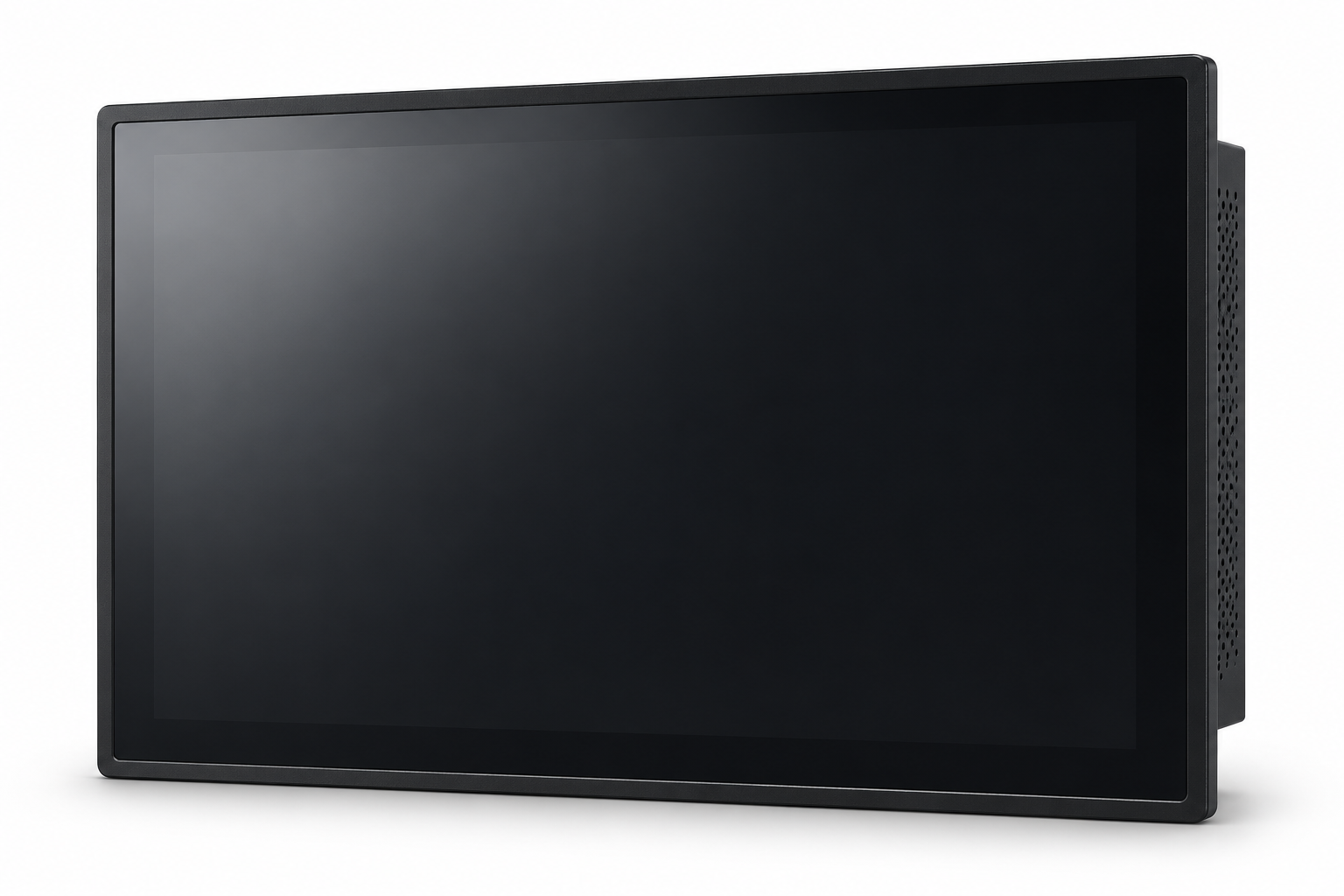
A defined front frame
The wide aluminum bezel and metal body give equipment designers a distinct enclosure format to assess. Check the model drawing before committing to an aperture or fixing arrangement.
Displays for equipment integration
A wide aluminum bezel. A metal body. Eight sizes from 10.1 to 21.5 inches for equipment built around your own host computer.
HDMI or VGA for video · USB for capacitive touch
Choose brightness, temperature range and layout by model.
Appearance rendering
A practical platform choice
Keep the host, controls and application software that your system needs. Compare the XP01 display sizes and electrical interfaces, then work through the enclosure and mounting details.
The wide aluminum bezel and metal body give equipment designers a distinct enclosure format to assess. Check the model drawing before committing to an aperture or fixing arrangement.
Use 16:10 or 16:9 for a wider interface layout, or compare the 15-inch 4:3 and 17-inch 5:4 models for applications designed around those native resolutions.
HDMI and VGA carry video from your host. A separate USB connection carries touch input. The monitor uses a 12 V DC input through a DC 5521 connector.
Eight models · one comparison
Size alone does not determine brightness or temperature capability. Compare the exact model, then select it to prepare your project requirements.
Swipe the table to compare all specification columns.
| Size / model | Ratio | Resolution | Luminance | Operating °C | Operating power | Select |
|---|---|---|---|---|---|---|
| 10.1″YL-GZXP01Q101TC-V1 | 16:10 | 1280 × 800 | 350 cd/m² | −20 to 70 °C | Pmax <15 W | |
| 12.1″YL-GZXP01Q121TC-V1 | 16:10 | 1280 × 800 | 500 cd/m² | −20 to 70 °C | Pmax <20 W | |
| 13.3″YL-GZXP01Q133TC-V1 | 16:9 | 1920 × 1080 | 280 cd/m² | 0 to 50 °C | Pmax <15 W | |
| 15″YL-GZXP01Q150TC-V1 | 4:3 | 1024 × 768 | 350 cd/m² | −20 to 70 °C | Pmax <20 W | |
| 15.6″YL-GZXP01Q156TC-V1 | 16:9 | 1920 × 1080 | 300–1000 cd/m² | −30 to 85 °C | Pmax <30 W | |
| 17″YL-GZXP01Q170TC-V1 | 5:4 | 1280 × 1024 | 250–1000 cd/m² | −10 to 50 °C | Pmax <20 W | |
| 18.5″YL-GZXP01Q185TC-V1 | 16:9 | 1920 × 1080 | 300–1000 cd/m² | −20 to 70 °C | Pmax <40 W | |
| 21.5″YL-GZXP01Q215TC-V1 | 16:9 | 1920 × 1080 | 300–1000 cd/m² | 0 to 50 °C | Pmax <30 W |
Luminance figures are model specifications or configuration ranges. A range does not mean every unit has the maximum brightness. Confirm the brightness and corresponding power requirements together. Screen ratios are derived from the native resolution.
Selected model
YL-GZXP01Q156TC-V1
HDMI + VGA · USB capacitive touch
12 V DC · VESA 100 × 100 mm
Final configuration, supply list and availability are agreed with your quotation.
Explore the 15.6-inch product →Design the complete installation
Plan the signal path, power and mechanical interface together. The source specifications list a VESA pattern; equipment-panel integration needs its own drawing review.
VESA 100 × 100 mm is listed for every model. Review fixing depth, cable routing, rear access and service clearance for your enclosure. Confirm the bracket and fasteners separately.
A wide bezel does not define an installation cutout. Share your panel drawing to check the front overlap, support method and aperture. No universal clamp kit or panel-thickness range is specified.
Check the selected model's operating and storage ranges. Confirm brightness, power and enclosure ventilation together; the specification does not map every brightness option to a measured power value.
Application fit
These are integration scenarios to assess with your requirements. The equipment enclosure, host software and environment determine the final system fit.
Present machine status, process settings and operator controls through an external industrial host. Compare compact, square-format and widescreen layouts without changing the product entity to a panel PC.
Check first: native resolution, cabinet opening, VESA support and rear service access.
Industrial touch solutions →Evaluate XP01 for a fixed gaming cabinet or auxiliary touch interface around your own host. Match the display format to the cabinet layout and review touch behavior on the target system.
Check first: cabinet fit, host graphics, front protection and required touch behavior.
Gaming cabinet touch solutions →Integrate an external-host touch interface into an indoor service enclosure. Choose a display format that supports the transaction flow and allows maintenance access behind the screen.
Check first: ambient light, accessibility, front protection and cable access.
Self-service touch solutions →Planning an outdoor or washdown installation?
Brightness and metal construction alone do not establish environmental protection. Start with the complete exposure and enclosure requirements.
Engineering information
Use the English specification summary to shortlist a model. Complete the mechanical and configuration review before fixing the equipment design or placing an order.
Resolution, luminance, power, operating conditions, connections and mounting information in one English reference. Prepared from the corresponding V1 model specifications.
Download the specification summary ↓English compilation · 16 November 2026 · Source model specifications: V1Explore EverGlory's quality and manufacturing information, then agree the checks and records needed for your selected XP01 configuration.
Company process information complements the selected model specification; it does not establish a separate XP01 certification or ingress rating.Questions before you specify
Clear model identification and the right installation details make the engineering discussion more useful.
Ask about your application ↗XP01 TC models are touchscreen monitors for an external host. Connect video through HDMI or VGA and touch through USB. The series does not include an integrated computer or operating system.
The eight sizes are 10.1, 12.1, 13.3, 15, 15.6, 17, 18.5 and 21.5 inches. The 10.1- and 12.1-inch resolutions correspond to 16:10, the 15-inch to 4:3, the 17-inch to 5:4, and the other four sizes to 16:9. Match your interface layout to the native resolution as well as the diagonal.
No. The 10.1-, 12.1-, 13.3- and 15-inch specifications list 350, 500, 280 and 350 cd/m² respectively. The 15.6-, 18.5- and 21.5-inch models list 300–1000 cd/m²; the 17-inch model lists 250–1000 cd/m². Confirm the brightness configuration, power consumption and thermal conditions for the selected model.
All eight model specifications list VESA 100 × 100 mm mounting. For integration into an equipment panel, share the enclosure drawing so the mounting method, aperture, clearances and fastening arrangement can be checked. The display outline is not a panel cutout, and a clamp kit is not specified in the standard packing list.
An IP rating or complete outdoor-protection configuration is not specified for these XP01 TC models. Brightness and operating temperature alone do not establish rain, washdown or direct-sunlight suitability. Describe the environment and protective enclosure so the appropriate display solution can be assessed.
The 15.6-inch YL-GZXP01Q156TC-V1 specification lists an outline of 414.9 × 264.3 × 48 mm. Use the model drawing to check orientation and installation details. The other seven specifications refer to the actual drawing rather than listing a numeric outline. Request the model-specific drawing before designing the cutout or fixing arrangement.
The source packing lists include a touch monitor, power adapter, 1.8 m power cable and 1.5 m HDMI cable. Confirm the project supply list with your quotation. A USB touch cable, VESA bracket and panel clamps are not listed as included accessories.
Send the preferred model or screen size, quantity, host video interface, target brightness, installation drawing and expected environment. Include the sample quantity and planned production demand if known. Availability, lead time, mounting hardware and the final configuration are agreed with the quotation.
Start an engineering conversation
Select a model or ask for help choosing one. Your project requirements are more useful than a screen size alone.
Ask us to confirm the configuration, current drawings, accessory scope and procurement conditions for your project.
Your brief has been prepared on this device. Send it through the contact form or your email application.
Prefer to contact us directly? Contact form · Email
DongGuan Ever Glory Photoelectric co., Ltd · evergloryltd.com