.png)
Best Industrial PCAP Touch Screen: 5 Spec Factors Engineers Should Define
“Best industrial capacitive touch screen” does not mean a single model. In industrial projects, “best” means a spec that stays stable in your real environment:
noise, gloves, moisture, mounting constraints, and long-run operation. This checklist helps you define the right PCAP stack before you request quotes.
Glove / Wet Touch
IP Sealing
Bonding Options
Integration
What “best” means for industrial PCAP
In industrial design reviews, the best industrial PCAP touch screen is the one that meets stability, integration, and consistency targets:
stable touch under real noise, reliable operation with gloves/water if required, and predictable performance across pilot and mass production.
If your application is harsh, start here to align environment requirements:
PCAP for Harsh Environments.
For validation workflow, use:
Touchscreen Test Checklist.
Factor 1: Touch stability margin (controller + tuning + EMI)
PCAP success is usually decided by stability margin, not lab demos. The controller and tuning must match the sensor stack and the EMI environment.
Ghost touch, missed touch with gloves, edge dead zones, drift under noise, water false touches.
Who controls firmware profile revisions? How are changes tracked across pilot and production?
VFD motors, inverters, switching PSU, long cables, metal enclosure grounding—these often matter more than the controller brand name.
Compare pass/fail and margin, not “feels OK”.
If you want controller-level selection support, see:
EETI vs Ilitek Touch Controller (Industrial).
Factor 2: Cover glass & coatings (AG/AR/AF, thickness)
Glass and coatings influence optical clarity, cleanability, and touch signal levels. A thicker, stronger cover lens increases durability but may require tuning changes.
Define your impact / vandal resistance expectation. Do not change thickness after tuning is frozen.
AG reduces glare; AR improves clarity; AF improves cleanability. Confirm compatibility with your bonding and cleaning chemicals.
If UI buttons are near bezels, you must validate edge response after assembly.
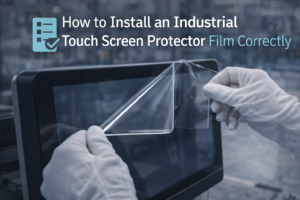
If the site demands frequent cleaning or abrasive contact, define film type early to avoid post-install touch changes.
Factor 3: IP sealing & mechanical design
Many “industrial” touch products fail not because of the LCD, but because sealing and mechanical tolerance control were underestimated.
Define whether you need front IP65, full enclosure protection, or a system-level sealing plan.
Front IP65 is common for panel-mount HMIs; full enclosure protection may be required for outdoor or washdown zones.
Sealing success depends on mechanical tolerances, gasket compression, and long-term aging—not only “add a rubber ring.”
Long-term vibration and cable pull are frequent root causes of field returns.
Agree a test method early to avoid disputes at delivery.
Related engineering notes:
IP65 Waterproof Touch Screen: Design & Test.
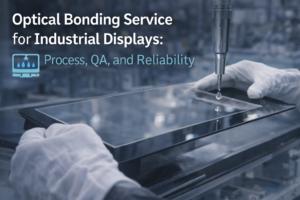
Factor 4: Bonding strategy & optical performance
Bonding choice impacts clarity and long-term reliability. For industrial projects, treat bonding as a controlled process with inspection and validation.
Air gap can be cost-effective for indoor use; optical bonding helps in demanding conditions and improves optical stability when done correctly.
Define bubble/haze limits and acceptance zones (view area vs black border).
If you need a process-level explanation, see:
Optical Bonding Service (Process & QA).
Factor 5: System integration (interfaces, OS, mounting)
The best industrial capacitive touch screen is the one that integrates cleanly: correct interface, stable drivers, predictable mounting, and serviceable design.
Define I²C / USB / UART requirement and confirm driver plan for your OS.
Panel mount, VESA, open frame—mounting impacts stress, sealing, and service life.
Define how quickly the unit can be replaced and whether cables/connectors are accessible.
Industrial projects need stable BOM and documented changes across years, not frequent silent revisions.
If you want a ready-to-integrate monitor series:
Industrial Touchscreen Monitors (PCAP Series).
RFQ checklist (copy/paste)
Copy this into your inquiry email to get a faster, more accurate recommendation and quote:
- Product type: touch panel / touch display module / touch monitor / panel PC
- Size + resolution + orientation:
- Brightness target (indoor/outdoor):
- Touch requirements: glove type, wet behavior, stylus, edge buttons:
- Environment: water/dust/oil, EMI sources (VFD/inverter), temperature range:
- Cover lens thickness + coatings (AG/AR/AF):
- Interface + OS (Windows/Linux/Android):
- IP target (front IP65 or full):
- Annual volume + pilot quantity:
For cost transparency, see:
Industrial Touch Screen Price Guide.
FAQ
What is the best industrial capacitive touch screen for gloves and water?
The best choice depends on glove type, water condition, and EMI environment. Define these requirements first, then validate stability with a checklist before pilot production.
Does thicker cover glass always mean better industrial durability?
Thicker glass improves robustness but may require tuning changes and can affect optical performance. Lock glass thickness early to avoid redesign.
Is optical bonding required for “best” industrial PCAP?
Not always. It depends on your optical and reliability targets. Treat optical bonding as a process/service with QA standards rather than a simple feature checkbox.
How do I avoid after-sales issues?
Freeze a stable stack early, define acceptance criteria, and run a repeatable validation checklist. Many field issues come from late spec changes and insufficient testing.
Can you recommend a configuration based on our application?
Yes. Share your environment, OS, interface, glass/coating preference, and volume. We can propose a spec stack and a validation plan before pilot production.
Need a “best-fit” PCAP spec for your project?
Tell us your application and environment. We will propose a stable PCAP stack and provide a validation checklist.