.png)
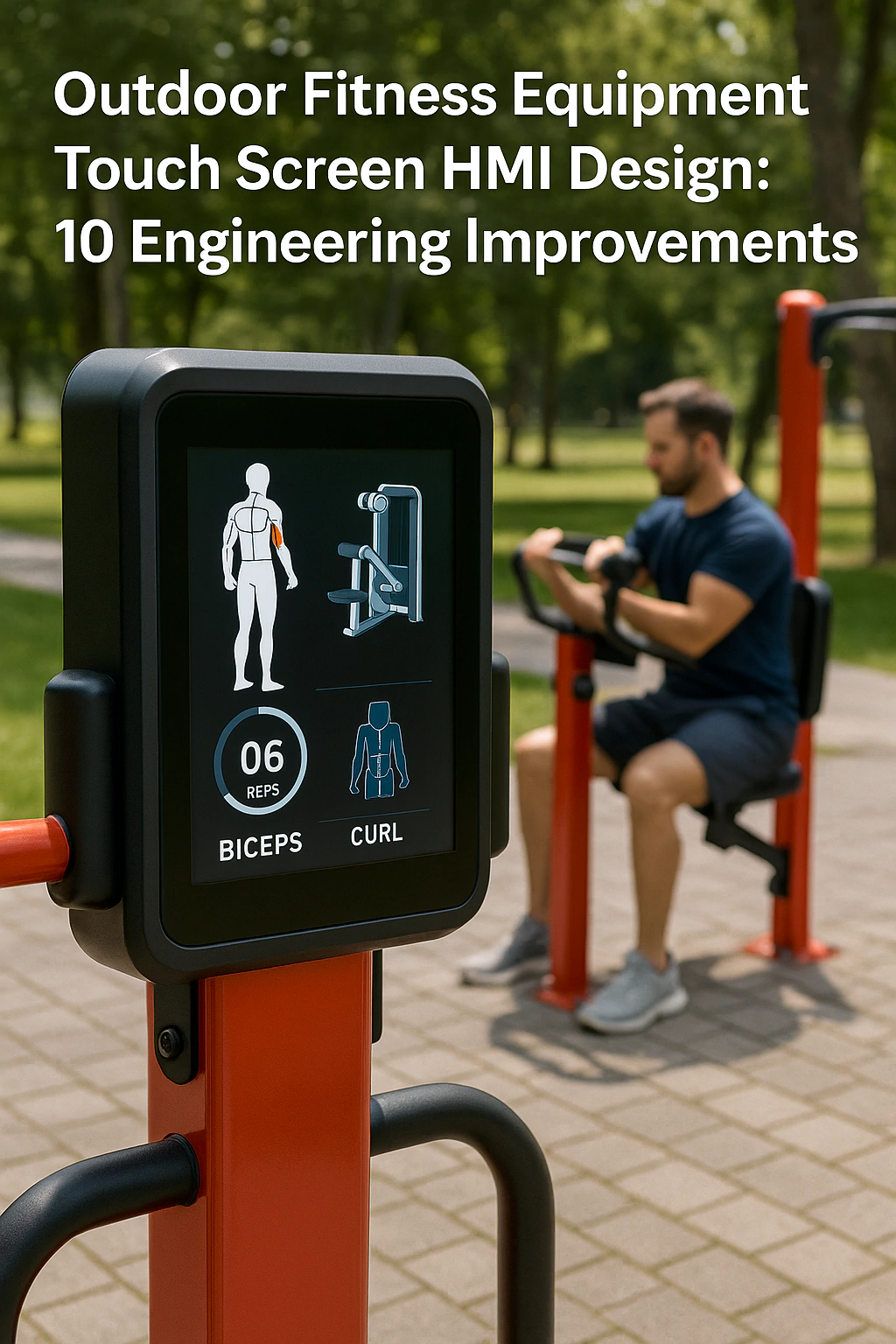
Outdoor fitness parks and smart gym stations are becoming common in city parks, waterfronts and residential communities. A modern outdoor fitness station is more than a static piece of steel. It often includes a touch screen HMI that guides users, counts repetitions and logs workout data. However, this HMI must survive rain, sun, vandalism and frequent use in a public space.
This article explains ten real-world pain points from outdoor fitness projects and shows how to solve them with a robust touch screen HMI design. If you are comparing hardware options, it is helpful to start with our Industrial Touch Screen Buyer’s Guide, which explains IP ratings, PCAP stack-ups and controller choices. For harsh locations such as seafront promenades and public plazas, you can also review our outdoor touch screen solution overview.
1. High Waterproof and Dust Protection (IP65 and Above)
Pain point
Outdoor fitness equipment has to work in rain, dust, wind and sometimes high-pressure cleaning. If the front panel and housing are not sealed, water and dirt will quickly damage the electronics.
Engineering improvement
The touch screen HMI should use a sealed PCAP front panel with an IP65 or higher rating on the front side. A bonded cover glass, gasketed bezel and waterproof connectors keep water and dust out. The design approach is similar to the one we use in our IP65 waterproof touch screen design guide. For a general explanation of how IP ratings are defined under IEC 60529, you can refer to the IEC ingress protection ratings overview.
Result
With proper sealing, the touch screen can keep working during heavy rain and repeated washdowns. This protects the equipment from weather damage and reduces unplanned maintenance.
2. UV and Weather Resistance for Long Outdoor Life
Pain point
Outdoor gym equipment is exposed to direct sunlight, UV radiation, temperature swings and humidity. Standard plastics and low-cost displays may fade, crack or fog after a few seasons.
Engineering improvement
To extend service life, choose UV-stable materials for bezels and housings, and use high-brightness, wide-temperature LCDs. Optical bonding and anti-glare treatments improve sunlight readability and reduce internal condensation, as described in our sunlight readable display guide and optical bonding article.
Result
The HMI remains bright and clear even after years of outdoor exposure. Colour fading, fogging and screen cracking are reduced, which keeps the outdoor gym looking modern and well maintained.
3. Clear Coaching with Visual and Voice Guidance
Pain point
Many users are new to outdoor fitness equipment. If the interface only shows small text instructions, they may not understand how to perform each movement safely and effectively.
Engineering improvement
The touch screen should combine large visual cues, simple animations and optional voice prompts. Short, step-by-step instructions guide the user through warm-up, exercise and cool-down. The interface can follow the user experience principles from our article on designing intuitive touchscreen interfaces. For users who are interested in health guidance, you may also link to public resources such as the World Health Organization overview of physical activity.
Result
As a result, users feel supported rather than confused. They can quickly see which muscles are trained and how to move, which improves both safety and exercise quality.
4. Anti-Mistouch Design for Safe Operation
Pain point
Outdoor gyms are used by people of all ages. Accidental touches, children playing with the screen or users leaning on the panel can cause unwanted mode changes or resets.
Engineering improvement
A robust outdoor fitness HMI uses anti-mistouch algorithms in the PCAP controller and clear UI flows. This includes adjusting touch thresholds, adding palm rejection and requiring confirmation for mode changes or resets. These ideas build on the noise and touch control methods in our touch screen structure and controller tuning guide and our article on touch latency and user experience.
Result
Mis-operations are much less frequent. Users can exercise without worrying that a small slip of the hand will stop the program or change the resistance level unexpectedly.
5. Multiple Training Modes and Program Selection
Pain point
Different users have different fitness levels and goals. If the outdoor equipment only offers one fixed mode, it cannot support users who want progressive training or specific health goals.
Engineering improvement
The HMI should provide several training modes, such as beginner, intermediate, advanced, interval training and rehabilitation-focused programs. Simple on-screen profiles let users pick a mode with one or two taps. The logic for these modes can reuse common HMI patterns from our industrial HMI efficiency guide, adapted from factory dashboards to outdoor fitness dashboards.
Result
Outdoor fitness stations become more attractive to a wide range of users. People can choose programs that match their abilities, which improves satisfaction and repeat usage.
6. Workout Logging and Analytics
Pain point
Without data, it is hard for users to see progress and for operators to understand which equipment is most popular. Standalone machines with no logging functions miss this opportunity.
Engineering improvement
The touch screen HMI can log workout data such as duration, repetitions and estimated calories. With QR codes, RFID cards or mobile app pairing, users can link sessions to their personal account. The system can upload anonymized data to a central platform for analysis, similar to the remote monitoring features used in our application-based touch screen solutions.
Result
Users can track their progress over weeks and months, and municipalities can see which stations are most used. This supports better planning of future installations and maintenance schedules.
7. Safety Certifications for Public Installations
Pain point
Outdoor fitness equipment is installed in public spaces and often used without supervision. Safety and liability requirements are strict. If the equipment does not follow recognized standards, projects may be delayed or rejected.
Engineering improvement
The HMI and equipment should be designed with relevant safety standards in mind, such as EN 16630 for permanently installed outdoor fitness equipment. Several organizations summarize this standard and its test methods, including guides to EN 16630 safety requirements. In parallel, the electrical design should support CE and FCC certification, following the EMC and safety layouts discussed in our touch screen safety comparison.
Result
By aligning the HMI and equipment with EN 16630 and regional EMC rules, city authorities and park operators gain confidence in the safety of the installation. Certification and tendering processes become smoother.
8. Energy-Efficient Design for Long-Term Operation
Pain point
Many outdoor fitness stations are powered from limited local circuits or even solar systems. An HMI that uses too much power increases operating cost and makes off-grid installations difficult.
Engineering improvement
The touch screen system should use low-power controllers and efficient backlights. Automatic brightness adjustment can dim the screen at night, while sleep modes reduce consumption when no one is using the station. These energy-saving techniques are similar to the ones described in our sunlight readable yet efficient display guide.
Result
Overall energy use is reduced, making it easier to power the equipment from small circuits or solar panels. Operating costs are lower, and sustainability goals are easier to meet.
9. Easy Cleaning and Hygiene Management
Pain point
Public fitness equipment is touched by many hands every day. If the touch screen is difficult to clean or reacts badly to cleaning agents, hygiene becomes a problem.
Engineering improvement
The front glass should use chemical-resistant, easy-to-wipe coatings and a flat, bezel-less design that avoids dirt traps. The same principles used in our waterproof touch screen solutions apply here. In addition, the HMI software can provide cleaning modes that disable touch for a short time while staff clean the surface.
Result
Staff can clean the screen quickly and safely using common disinfectants. The station stays hygienic and visually appealing, which improves public trust and willingness to use the equipment.
10. Multi-Language Support for International Users
Pain point
Outdoor fitness parks in tourism areas or large cities attract users from many countries. A single-language interface can confuse visitors and reduce the perceived value of the installation.
Engineering improvement
The touch screen HMI should support multiple languages and clear icons. At the start screen, users can choose their language with one tap, and all labels and voice prompts adjust accordingly. This multi-language strategy is similar to the one we recommend for other public-facing terminals on our solution hub.
Result
International visitors can understand instructions easily and use the equipment with confidence. This improves user experience and supports the city’s image as a welcoming, health-focused community.
Conclusion: Making Outdoor Fitness Stations Smarter and Safer
Outdoor fitness equipment plays an important role in public health by giving people free access to exercise in parks and communities. However, the touch screen HMI at the heart of a smart fitness station must be tough enough for harsh environments and simple enough for all users.
By addressing these ten pain points—IP65 sealing, UV and weather resistance, clear coaching guidance, anti-mistouch design, multi-mode training, data logging, safety certification, energy efficiency, easy cleaning and multi-language support—you can build an outdoor fitness equipment touch screen HMI that is reliable, user-friendly and ready for global deployment. For more examples of how we apply these ideas across different markets, visit our industrial touch screen solution page and the application-based solution hub.
Next step: discuss your outdoor fitness HMI project
If you are planning a new outdoor fitness park or upgrading existing equipment, you are welcome to share your screen size, mounting method, environment and certification needs with our engineering team. We can help you choose the right PCAP touch screen, display module and housing for long-term outdoor use. You can contact us through the inquiry form on our Contact Us page.