Industrial Touch Display Built for Performance and Precision
This industrial touch display is engineered for stable, repeatable touch input and clean system integration.
It is ideal for HMI panels, kiosks, EV chargers, and rugged commercial deployments.
In addition, you can configure glass, interfaces, mounting, and environmental protection to match field conditions.
Request a Spec Sheet (Share your requirements)
Explore Touchscreen Monitors
Outdoor Solutions Overview
QA & Touch Test Guide
Best for
HMI • Kiosks • EV chargers • POS • Controls
Touch experience
Stable PCAP touch with multi-touch support
Integration
Configure interfaces, mounting, and glass stack
Product overview
An industrial touch display combines a display and a touch sensor stack designed for long service life.
Unlike consumer screens, industrial deployments face vibration, dust, moisture, and electrical noise.
Therefore, this product focuses on stable touch behavior, predictable integration, and consistent readability.
Where this touch display is used
Industrial HMI & control panels
Clear status display and reliable input for operators. In addition, it supports cleaner maintenance workflows.
Self-service kiosks & retail POS
Fast response and repeatable touch tracking. As a result, user errors drop and throughput improves.
Outdoor terminals (EV chargers / signage)
Sunlight, rain, and wide temperature swings demand the right stack. See our
outdoor solution overview.
Transportation & rugged commercial
Where vibration, EMI, and long runtime matter, integration details become critical. Therefore, validation is essential.
Key benefits (engineering view)
| Design focus | What you get | Why it matters |
|---|---|---|
| Stable PCAP touch | Consistent tracking, multi-touch gestures, predictable response | Reduces mis-touch, drift, and field complaints |
| Integration-ready stack | Configurable interfaces, mounting styles, and cable routing planning | Simplifies enclosure work and speeds up deployment |
| Readability choices | Glare control options and brightness planning based on location | Improves usability in real lighting, especially outdoors |
| Environmental protection | Seal strategy depends on your target IP level and washdown needs | Prevents moisture ingress and premature failures |
| QA workflow support | Clear validation steps before and after mounting | Prevents “works on bench, fails in cabinet” issues |
Configuration options
Every project has different constraints. Therefore, we keep key parameters configurable.
Share your environment and integration plan, and we will recommend a practical stackup.
Touch & cover glass
- PCAP touch stack tuned to your UI and operator behavior
- Glass thickness and surface treatment based on impact and glare needs
- Glove and wet touch behavior can be evaluated per use case
Mounting & enclosure fit
- Panel mount / VESA / bracket integration (project dependent)
- Bezel and gasket planning for your target sealing level
- Stress control after assembly to protect edge performance
Specification snapshot
| Item | Typical approach | Notes |
|---|---|---|
| Screen size | Multiple sizes available | Select based on viewing distance and UI density |
| Touch technology | Projected capacitive (PCAP) | Multi-touch supported; tuning depends on environment |
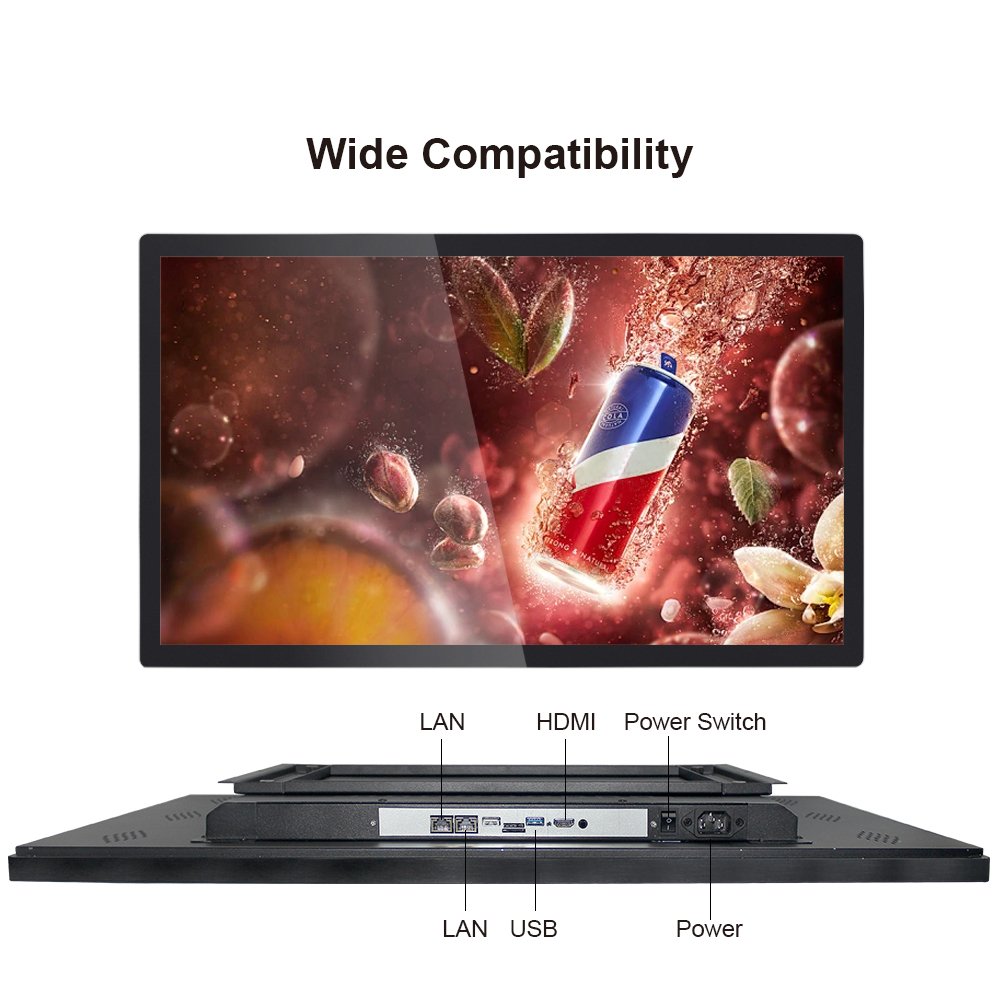
| Interfaces | Display + touch interface options | Confirm controller platform and cable length |
| Readability | Indoor and outdoor-oriented configurations | Glare control is as important as brightness in the field |
| Sealing target | Depends on enclosure and washdown needs | For washdown or outdoor, plan sealing early |
| Operating conditions | Project-defined temperature / vibration / EMI risk | Validate both before and after final mounting |
How to select & order (fast workflow)
Step 1 — Define the environment
- Indoor or outdoor exposure?
- Dust, water, chemicals, vibration, or EMI sources nearby?
- Gloves and wet touch required?
Step 2 — Confirm integration
- Controller platform and required interfaces
- Mounting method and enclosure material
- Cable routing plan and grounding points
Step 3 — Validate before deployment
- Run touch accuracy + edge checks
- Test near real noise sources
- Re-test after enclosure mounting
Touchscreen Tester.
Step 4 — Request a quote
- Share target size, drawings, and environment notes
- Confirm sample plan and acceptance criteria
- Align on packaging and shipping terms
Send your screen size, mounting method, environment risks, and interface requirements.
We will suggest a practical industrial touch display stack for stable field performance.
Contact Us
FAQ
What is the difference between an industrial touch display and a consumer screen?
An industrial touch display is designed for long runtime, tougher environments, and more predictable integration. As a result, it is better suited to HMI and commercial systems.
Can this touch display support gloves or wet touch?
It depends on glove type, water film, UI layout, and controller tuning. Therefore, we recommend validating with your real operators and conditions.
Which applications benefit most from this product?
HMI panels, kiosks, EV chargers, retail POS, and rugged commercial terminals often benefit most because stability and integration quality matter.
Do I need to test again after enclosure mounting?
Yes. Mounting stress and grounding changes can affect touch behavior. Therefore, always re-test after final assembly.
What information should I send for a fast quotation?
Share the target size, drawings, interface list, mounting method, environment risks, and any sealing or certification goals.
Do you offer outdoor configurations?
Yes. Outdoor deployments often require a different stackup. See our outdoor overview for common configurations and planning points.
Industrial Touch Display | High-Precision PCAP Touch for HMI & Kiosks Engineering Information
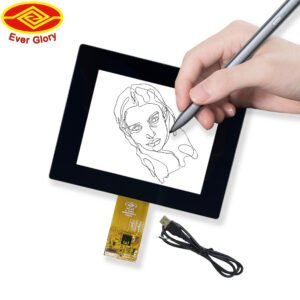
This product is a custom PCAP touch panel for OEM equipment integration.
- Product Category
- PCAP Touch Panel
- Product Role
- custom PCAP touch panel for OEM equipment integration
- Size / Format
- custom size
- Best Fit
- embedded display, OEM equipment, kiosk and HMI integration
- Review Focus
- Cover glass size; Sensor structure; FPC routing; Touch controller; USB / I2C; Grounding; Metal bezel; LCD interference; Glove / Wet Touch; Optical bonding requirement
Information Needed for Review
- Cover glass size
- Sensor structure
- FPC routing
- Touch controller
- USB / I2C
- Grounding
- Metal bezel
- LCD interference
- Glove / Wet Touch
- Optical bonding requirement
Typical Applications
embedded display, OEM equipment, kiosk and HMI integration
Common Engineering Questions
Does this PCAP touch panel include an LCD?
The standard supply boundary is the PCAP touch assembly. LCD integration can be reviewed separately as a touch display module project.
What information is needed for engineering review?
Send the cover glass size, sensor structure, FPC direction, controller and interface requirements, grounding plan, bezel design, LCD information and any glove, wet-touch or bonding requirement.
What is the standard PCAP supply boundary?
The standard supply boundary is the touch assembly for OEM integration. A complete display assembly additionally requires the LCD, enclosure and external display interfaces.
Related PCAP Touch Panel Products
For an accurate quotation, send drawings and application details instead of only screen size.