
Match your equipment design
Evaluate PB01 for stainless steel machinery and operator stations. Specify the material coverage, finish and cleaning conditions needed for the installation.
DISPLAYS FOR EQUIPMENT BUILDERS
21.5- and 27-inch displays with a 304 stainless steel casing and aluminum profiles. Keep your own host computer. Add Full HD video and capacitive touch.
27-inch model: engineering configuration. Mechanical design is reviewed for your project.
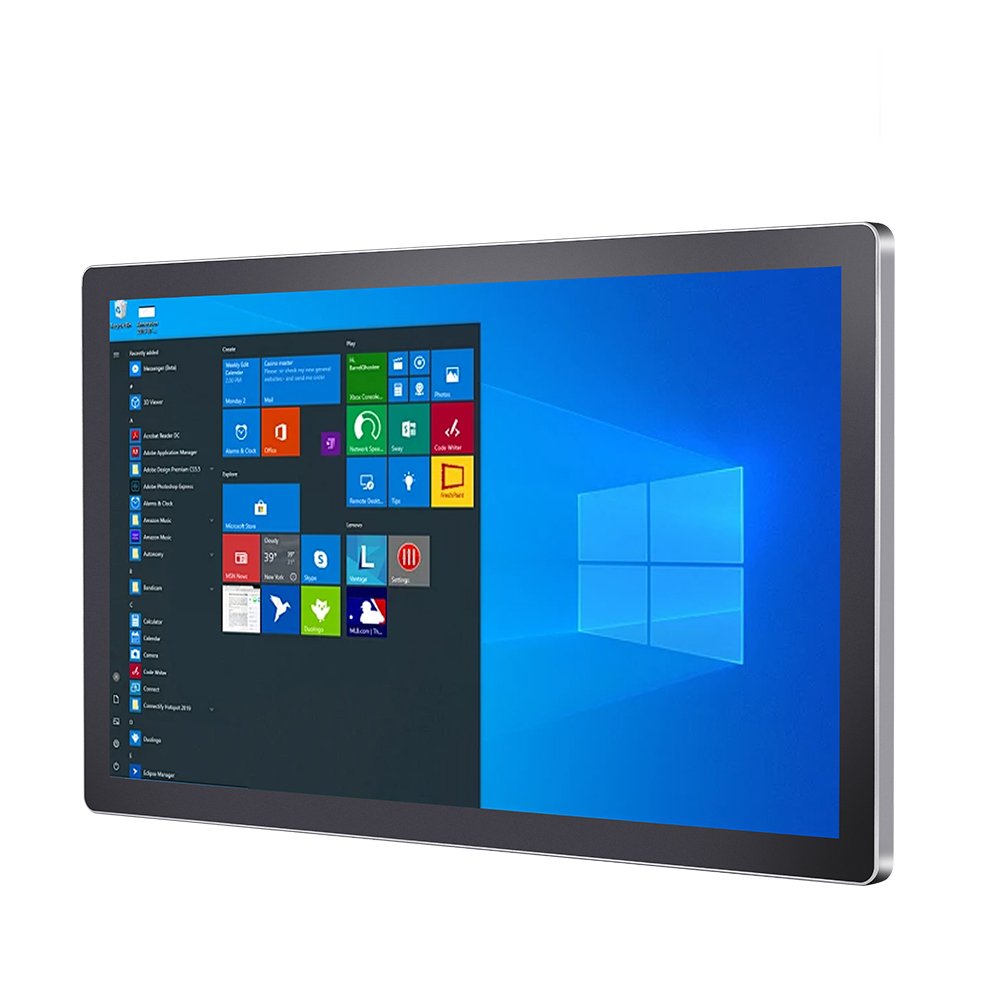
A DISPLAY THAT FITS YOUR SYSTEM
PB01 TC is a touchscreen monitor for equipment builders who already have an application computer. It combines a 304 stainless steel casing with aluminum profiles, HDMI/VGA video inputs and a separate USB touch connection.
Evaluate PB01 for stainless steel machinery and operator stations. Specify the material coverage, finish and cleaning conditions needed for the installation.
Use your external industrial PC or other compatible host. Video, touch and monitor power use separate connections, keeping the display role clear.
Choose a 21.5-inch configuration or review the 27-inch engineering option. Both source specifications list Full HD resolution and 300 cd/m² luminance.
Your external host runs the application. Connect video and USB touch separately, and provide monitor power.
Compare touchscreen monitorsAn integrated computer runs the application. Select a separate Panel PC configuration for its computing and software requirements.
Explore touch panel PCsSELECT YOUR PB01
YL-SZPB01Q215TC-V1
Request the current TC installation drawing and confirm availability for your configuration.
Discuss the 21.5-inch modelYL-SZPB01Q270TC-V1
Mechanical design and dimensions require engineering review before configuration and ordering.
Review a 27-inch project| Specification | 21.5″ · YL-SZPB01Q215TC-V1 | 27″ · YL-SZPB01Q270TC-V1 |
|---|---|---|
| Configuration | Confirm TC installation drawing | Engineering configuration |
| Resolution | 1920 × 1080 | 1920 × 1080 |
| Luminance | 300 cd/m² | 300 cd/m² |
| Contrast ratio | 1000:1 | 1000:1 |
| Display colors / response | 16.7 million / 14 ms | 16.7 million / 14 ms |
| Touch technology / interface | Capacitive / USB | Capacitive / USB |
| Video inputs | HDMI + VGA | HDMI + VGA |
| Power input / connector | 12 V DC / DC 5521 | 12 V DC / DC 5521 |
| Maximum power / idle power | 30 W / <1 W | 30 W / <1 W |
| Operating temperature | 0–50 °C | 0–50 °C |
| Storage temperature | −20–60 °C | −20–60 °C |
| Relative humidity | 10–90% | 10–90% |
| VESA mounting pattern | 100 × 100 mm | 100 × 100 mm |
| Construction | Aluminum profile + 304 stainless steel casing | Aluminum profile + 304 stainless steel casing |
| Installation dimensions | Request the model-specific TC drawing | Mechanical design review required |
Based on the two PB01 TC V1 specifications. This comparison does not establish an IP rating or cleaning compatibility. Confirm the exact configuration, released mechanical drawing and operating conditions before ordering.
APPLICATION FIT
The right display depends on more than enclosure material. Evaluate PB01 against the host, installation space, operator workflow and cleaning method of your equipment.
Evaluate a PB01 display for machine settings, job selection and status screens driven by your existing host.
Define first: mounting position, touch workflow, cable routing and cleaning exposure.
Bring a stainless steel casing into an operator station or equipment assembly while retaining a separate computer.
Define first: material coverage, surface finish, available space and the exact TC drawing.
Consider PB01 for equipment-side control stations where the installation and cleaning process can be assessed together.
Define first: cleaning agents, spray exposure, moisture and required protection. Stainless steel alone does not establish washdown suitability.
Application illustrations show integration concepts, not completed customer installations. Explore industrial touch solutions
Use these boundaries to define the installation before choosing a configuration.
Swipe or scroll sideways to compare.
| Selection factor | PB01 TC boundary | Bring to the review |
|---|---|---|
| Equipment integration | Evaluate for equipment-side operator stations with an external host. | Host, workflow and installation location. |
| Materials & cleaning | 304 stainless casing + aluminum profiles. No established IP, washdown or direct food-contact suitability. | Material coverage, agents, cleaning method and spray exposure. |
| Light & temperature | Source-listed 300 cd/m² and 0–50 °C. Outdoor suitability is not established. | Ambient light, heat and installed operating conditions. |
| Mechanical release | Confirm the 21.5-inch TC drawing; 27-inch remains an engineering configuration. | VESA bracket, outline, screw engagement and cable space. |
PLAN THE CONNECTIONS
The PB01 TC models are monitors, not integrated panel PCs. Match the video output and USB touch connection to your host, then provide the specified monitor power.
Both specifications list a 100 × 100 mm VESA pattern. Confirm overall dimensions, screw engagement, cable clearance and orientation against a released TC installation drawing. The 27-inch configuration needs mechanical design review.
Both models list 300 cd/m² and 0–50 °C operation. Assess lighting, heat, liquids and cleaning at the installed monitor. Discuss touch behavior with your actual host, operator gloves and working conditions.
ENGINEERING & QUALITY
Compare the listed specifications, review how EverGlory handles quality and production, and request the drawing and test evidence that apply to your chosen configuration.
Two-model technical comparison, integration notes and configuration boundaries.
Download the summary QUALITYReview EverGlory’s quality and testing information, then discuss the checks your application needs.
Explore quality & testing PRODUCTIONReview the production and traceability approach for planning your supply requirements.
Explore the processPB01 focuses on stainless steel equipment integration. Compare the XW02 series when brightness configuration is a primary requirement.
COMMON QUESTIONS
Practical answers for equipment selection, integration and procurement.
The PB01 TC models on this page are touchscreen monitors for an external computer. They do not include the integrated Android computing platform of a PB01 AC panel PC. The external host runs the application and supplies the video signal.
The range includes the 21.5-inch YL-SZPB01Q215TC-V1 model and the 27-inch YL-SZPB01Q270TC-V1 engineering configuration. Both specify 1920 × 1080 resolution and 300 cd/m² luminance. The 27-inch mechanical design requires project-specific engineering review.
Use HDMI or VGA for the video signal, USB for capacitive touch input and a separate 12 V DC supply for monitor power. Include the host operating system and cable requirements when discussing your installation.
Both TC specifications list VESA 100 × 100 mm. Request the model-specific TC mechanical drawing to check overall dimensions, fixing details and cable clearance before designing the mount.
The specified construction is aluminum profiles and a 304 metal casing. This does not mean every part of the monitor is stainless steel. Define the exposed surfaces and finish required for your equipment when selecting a configuration.
PB01 can be evaluated as an operator interface for packaging and supporting equipment where stainless steel monitor construction is part of the project brief. The cleaning process, splash exposure, enclosure arrangement and applicable project requirements must be reviewed together. This page does not establish food-contact or hygienic-design certification.
The TC specifications used for these models do not state an ingress-protection rating. Do not treat the monitor as suitable for direct spraying or high-pressure cleaning without configuration-specific evidence. Describe the cleaning method and liquid exposure in your enquiry so the installation requirements can be assessed.
Include the model or preferred screen size, quantity, external host, mounting space, operating conditions, cleaning requirements and project timing. For the 27-inch engineering configuration, also provide the enclosure and mounting requirements for mechanical review.
LET’S DEFINE YOUR CONFIGURATION
Start with a model, quantity and the conditions at the installation. Include your host, mounting needs and cleaning process so the right configuration can be discussed.
Request a quotation tied to the selected model, agreed configuration and drawing revision. Engineering and commercial terms are confirmed for that project.
Use our contact form to send your enquiry. You can prepare a brief below and paste it into Project Details.
Open contact formDongGuan Ever Glory Photoelectric co., Ltd · evergloryltd.com
