.png)
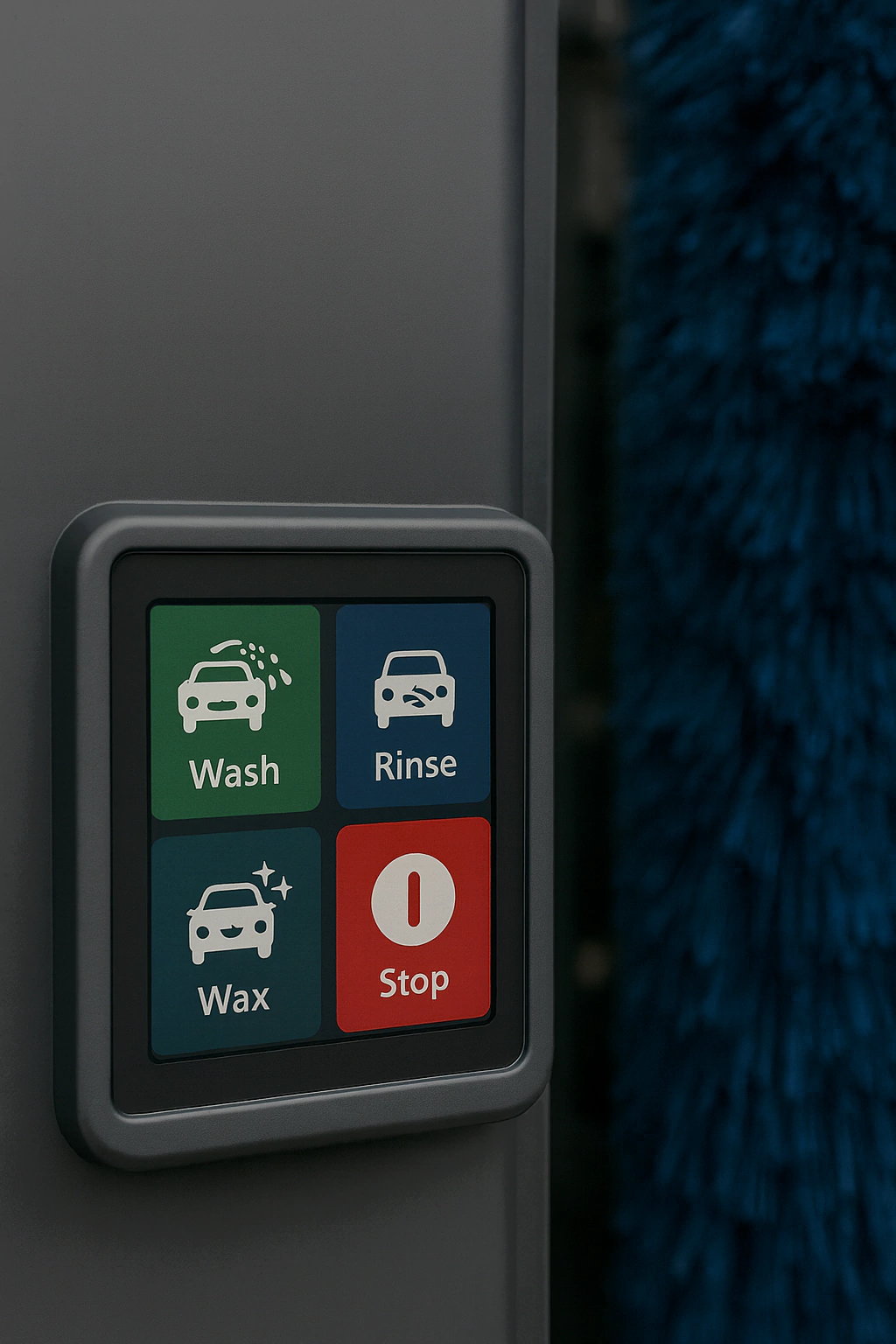
Self-service and automatic car wash machines are now a common part of daily life. A clear and friendly touch screen HMI guides drivers through wash options, payment and status messages. However, the working environment is very harsh. High-pressure water jets, strong detergents, wax, steam and outdoor weather all attack the touch screen every day.
This article looks at real pain points from the car wash industry and explains ten practical engineering improvements for the touch screen HMI. Each point links the problem, the design change and the final benefit. If you are new to this type of project, it is useful to read this guide together with our Industrial Touch Screen Buyer’s Guide, which explains core ideas such as PCAP structure, IP ratings and optical bonding. For more background on sealing, you can also see our IP65 waterproof touch screen design guide.
1. High Waterproof Rating (IP67 and Above)
Pain point
During a wash cycle, the touch screen faces direct water spray, foam, steam and sometimes even high-pressure jets. If the front panel or housing is not sealed well enough, water enters the device and causes failures.
Engineering improvement
To deal with this, use a fully sealed front panel with a high IP rating. A robust PCAP touch panel is bonded to the cover glass and integrated into a sealed bezel. Gaskets, waterproof connectors and proper cable routing stop water from entering. The design should follow the same thinking as a rugged waterproof touch screen for industrial use, but tuned for car wash conditions and spray patterns.
Result
As a result, the touch screen can survive repeated wash cycles and still stay dry inside. The machine can keep working reliably while foam and water run over the surface, which protects the electronics and reduces repair events.
2. Strong Chemical Resistance to Detergents and Wax
Pain point
Car wash machines use chemical detergents, alkaline cleaners and wax solutions. These liquids often splash onto the screen and stay on the glass for long periods. Standard glass and coatings can cloud, stain or crack under such exposure.
Engineering improvement
The HMI should use chemically hardened cover glass and coatings that can handle common wash chemicals. In addition, choose seal materials, adhesives and housings that are resistant to these cleaners. Our experience from waterproof and washdown touch screens can be applied here to select the right material set and test methods.
Result
With these choices, the glass keeps its clarity and strength under chemical attack. The screen looks new for longer, and the overall lifetime of the HMI in chemical environments is extended.
3. High User Demand for Sensitive, Glove-Friendly Operation
Pain point
Drivers and staff often operate the touch screen with wet fingers, gloves or hands covered in foam. Traditional resistive or poorly tuned capacitive screens feel slow and insensitive in this scenario.
Engineering improvement
A better approach is to use a projected capacitive (PCAP) touch screen with glove support. The controller is tuned for wet conditions and common glove materials. Touch detection thresholds and filters are adjusted to keep the screen responsive without reacting to every water droplet. You can find more details on this tuning approach in our PCAP capacitive touch screen guide.
Result
Users can make selections easily with gloves or wet fingers, and the HMI feels modern and responsive. This improves user comfort and meets the needs of both car owners and service staff.
4. Frequent Tapping and Heavy Use Damage the Screen
Pain point
Car wash screens face high-frequency tapping every day. Some users tap very hard or hit the screen with objects when they are in a hurry or confused. Standard consumer glass cracks easily under this type of repeated impact.
Engineering improvement
To improve durability, use thick, chemically strengthened cover glass with a high IK rating. Add nano or hard coatings to improve scratch resistance and reduce wear from brushes and cleaning tools. At the mechanical level, design the mounting frame to spread impact forces rather than focus them at sharp edges. These ideas are similar to the designs we use for industrial touch screens in harsh environments.
Result
The screen can handle frequent, heavy tapping without cracking or chipping. Stability under high use improves, and replacement frequency drops, which saves both time and cost for the operator.
5. Need for Automatic Screen Cleaning
Pain point
The touch screen often becomes covered with foam, dirt and water spots. Manual cleaning during busy hours is hard, and leaving the screen dirty reduces readability and makes the machine look poorly maintained.
Engineering improvement
A practical solution is to reserve space and I/O in the HMI design for an automatic cleaning system. The controller can trigger a simple spray-and-wipe device or a dedicated cleaning nozzle during idle times. The HMI software can show a “self-cleaning” status and lock user input for a short period while the glass is cleaned.
Result
With this feature, the screen can be cleaned on a schedule without manual work. The need for staff intervention goes down, and maintenance cost is lower. At the same time, the display stays clear, which supports a better brand image.
6. Different Housing Options for Different Wash Sites
Pain point
Car wash machines come in many physical layouts: wall-mounted controls, freestanding pedestals, recessed HMIs in stainless steel cabinets and more. A single bare panel without housing is hard for integrators to use in all these scenarios.
Engineering improvement
To make integration easier, offer the touch screen in several ready-made housing options. For example, an open-frame module for custom metalwork, a panel-mount kit with gasket and a full stainless steel kiosk enclosure. These options should still use the same core PCAP and LCD module defined in the industrial touch screen buyer’s guide, so maintenance and lifecycle management stay simple.
Result
Machine builders can choose the housing type that fits their design without redesigning the HMI from scratch. This cuts engineering time and speeds up new machine launches, while keeping a consistent and robust touch platform.
7. Need for Self-Diagnosis and Clear Fault Messages
Pain point
Mechanical and electrical parts in a car wash machine will fail from time to time. If the HMI does not help with diagnosis, staff must spend extra time on-site to find the cause. Users also feel lost when they see only a “fault” light but no clear guidance.
Engineering improvement
The HMI should support built-in self-diagnosis functions and clear fault messages. The touch screen can show error codes, possible causes and simple steps for first checks. In addition, logs can be stored locally or sent to a remote server for analysis. These ideas follow good practice from other industrial touch screen solutions where uptime is critical.
Result
Maintenance staff can understand problems more quickly and fix them faster. Downtime is reduced, and users receive clear on-screen information instead of guesswork. This improves trust in the machine and the brand.
8. Remote Monitoring and Management
Pain point
Car wash operators often manage multiple sites across a city or region. Without remote visibility, they must send staff to check machines, collect cash and reset faults manually.
Engineering improvement
To solve this, integrate 4G, Wi-Fi or Ethernet into the HMI or controller. The system can then send real-time status, fault codes, usage counts and even chemical tank levels to a central platform. Remote commands can reset faults, update software and adjust wash programs. This is similar to the remote features used in many of our application-based touch screen solutions.
Result
Operators can monitor and manage all car wash sites from one place. Operating efficiency goes up, and problems can be handled before users complain. As a result, service quality and profit both improve.
9. Energy-Efficient Design to Reduce Operating Cost
Pain point
Car wash systems use a lot of power for pumps, dryers, heaters and lights. While the HMI is a small part of total energy use, poor design still adds extra cost, especially across a large network.
Engineering improvement
It is wise to use energy-saving power modules and good power management in the HMI. The touch screen can dim itself in bright sunlight and lower brightness at night. It can also enter a low-power mode when no user is present. These ideas can be combined with high-brightness but efficient backlights, like those described in our sunlight readable display guide.
Result
Energy use from the HMI drops, and total operating cost is lower over the life of the machine. This also supports sustainability goals and can be a selling point in contracts with site owners.
10. Safety and Compliance Certifications
Pain point
Car wash machines often operate in wet, public environments with both vehicles and people close to moving equipment. Safety and EMC rules are strict. If the HMI is not designed with these rules in mind, approvals can be delayed or refused.
Engineering improvement
The touch screen and its electronics should be designed to support CE, FCC and other local certifications. This means using compliant components, following good layout practice and planning EMC, surge and isolation tests early. Safety messages and lockouts can also be built into the HMI software to guide users and prevent incorrect use.
Result
With proper design, the car wash machine can pass safety and EMC tests more smoothly. This increases market confidence and lowers the risk of field incidents, helping the operator stand out in a competitive market.
Conclusion: Building a Robust and User-Friendly Car Wash HMI
Designing a successful car wash machine is not only about pumps, brushes and chemistry. The touch screen HMI is the main interface between your system and the driver. It must survive IP67-level water, strong detergents, frequent tapping and outdoor conditions, while still feeling simple and friendly to use.
By working through these ten pain points with sealed and chemical-resistant PCAP modules, strong cover glass, glove-friendly tuning, automatic screen cleaning, flexible housing options, self-diagnosis, remote management, energy-saving design and proper certifications, you can build a car wash machine touch screen HMI that is both robust and easy to live with. For more ideas on how these principles apply to other markets, please visit our industrial touch screen solution page and the touch screen solutions by application hub.
Next step: discuss your car wash HMI project
If you are planning a new car wash machine or upgrading an existing design, you are welcome to share your screen size, environment, wash process and certification needs with our engineering team. We can help you choose the right PCAP touch screen, display module and housing to reduce failures and improve the user experience. You can reach us through the inquiry form on our Contact Us page.