
EverGlory / YW03 TC
YW03 Series Industrial Touchscreen Monitors
YW03 TC industrial touchscreen monitors connect to an external host through HDMI/VGA video and USB touch. Choose a 10.1, 12.1 or 13.3-inch screen with DC 12 V power. TC monitors do not include a computer; YW03 AC all-in-one computers are a separate product family.
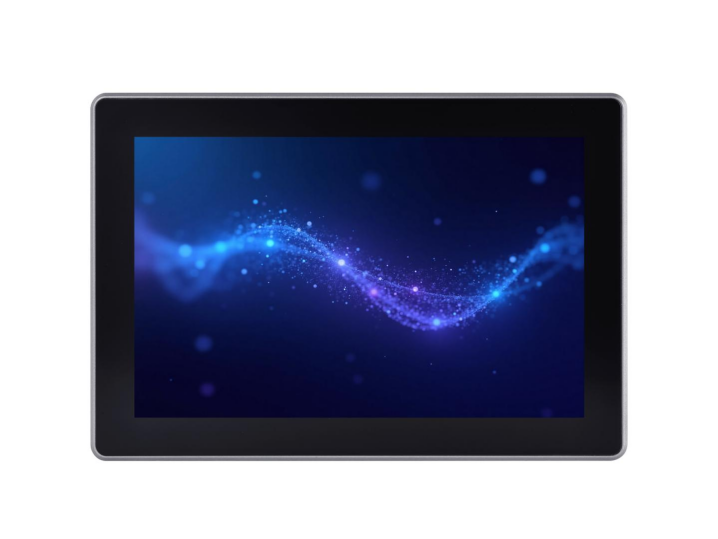 10.1″1280 × 800HDMI / VGA · USB · DC 12 V
Select your YW03 model
Select a size to see its exact model and key specifications.
Compare other industrial touchscreen monitors
YL-GZYW03Q101TC-V1
- Resolution
- 1280 × 800
- Aspect ratio
- 16:10
- Brightness
- 350 cd/m²
- Operating temperature
- -20 … 70 °C
- Storage temperature
- -30 … 80 °C
- Operating power
- 10 W
- Power input
- DC 12 V · DC 5521
- Video inputs
- HDMI + VGA
- USB touch
- USB
- VESA mounting
- 75 × 75 mm*
- Contrast ratio
- 800:1
- LCD response time
- 25 ms
- MTBF (specified)
- 30000 h
*Per the current V1 whole-unit specification. Confirm the released mechanical drawing before enclosure design.
Inquire about this model View model specificationCompare model specifications
| Specification | 10.1″ | 12.1″ | 13.3″ |
|---|---|---|---|
| Part number | YL-GZYW03Q101TC-V1 | YL-GZYW03Q121TC-V1 | YL-GZYW03Q133TC-V1 |
| Resolution | 1280 × 800 | 800 × 600 | 1920 × 1080 |
| Aspect ratio | 16:10 | 4:3 | 16:9 |
| Brightness | 350 cd/m² | 400 cd/m² | 280 cd/m² |
| Operating temperature | -20 … 70 °C | -20 … 70 °C | 0 … 40 °C |
| Storage temperature | -30 … 80 °C | -20 … 70 °C | -10 … 60 °C |
| Operating power | 10 W | 15 W | 10 W |
| Power input | DC 12 V · DC 5521 | DC 12 V · DC 5521 | DC 12 V · DC 5521 |
| Video inputs | HDMI + VGA | HDMI + VGA | HDMI + VGA |
| USB touch | USB | USB | USB |
| VESA mounting | 75 × 75 mm* | 75 × 75 mm* | 75 × 75 mm* |
| Contrast ratio | 800:1 | 800:1 | 800:1 |
| LCD response time | 25 ms | 30 ms | 30 ms |
| MTBF (specified) | 30000 h | 50000 h | 30000 h |
*Per the current V1 whole-unit specification. Confirm the released mechanical drawing before enclosure design.
Common YW03 TC Platform
- Capacitive touch
- USB touch communication
- HDMI + VGA video input
- DC 12 V input
- Aluminum enclosure
- Touch response ≤5 ms
- Operating humidity 10–90% RH
- Surface hardness: Mohs 7 (specified)
Specifications are based on the current whole-unit YW03 TC V1 documents. Confirm the released mechanical drawing and order-specific configuration before production.
The 10.1-inch source lists enclosure dimensions of 258.96 × 177.6 × 24.6 mm. Dimensions for 12.1 and 13.3 inches and net weights for all three models remain unconfirmed.
Integration
Match the native resolution and aspect ratio to the HMI layout. Allow space for cables and connectors, plan grounding, and check the released mounting drawing before mechanical design.
Video. Touch. Power.
Check host compatibility before the sample build.
The model specifications describe USB touch as driver-free. Share the host operating system and version, video output, required touch behavior and installation orientation for a configuration review.
OS-specific validation and simultaneous touch-point count are not specified in the supplied TC documents. Any driver or tuning utility must match the fitted controller.
Need computing built into the display? See the corresponding YW03 all-in-one / Panel PC configuration.
Application fit
Compact monitors for equipment and operator interfaces
YW03 Series monitors combine capacitive touch, HDMI/VGA video input and USB touch communication for external-host systems. Select the screen format and model to suit the interface layout, installation space and operating environment.
Machine HMI & Operator Stations
Connect an external industrial PC or controller through HDMI/VGA and USB touch for machine controls and operator interfaces. Match the native resolution and aspect ratio to the HMI layout.
Equipment Control Interfaces
Use a dedicated touchscreen monitor where the equipment’s computer or controller is separate from the display. The three compact screen formats support model selection around the available space and control interface.
Indoor Information Terminals
Connect the monitor to an external host for indoor information, service and interactive terminals. Validate screen size, viewing distance, mounting structure and ambient lighting in the complete system.
Application suitability depends on the selected YW03 model, host system, mounting structure and operating environment.
Quality & testing
Identify the sample
Confirm the exact part number, hardware revision, host, cables, mounting and grounding arrangement.
Agree the checks
Define display and touch checks, environmental conditions, aging duration and any EMC work required by the application.
Review the record
Match the report’s sample identity, method, acceptance criteria and observations to the configuration you intend to order.
Production quality & traceability
For a YW03 project, agree the released configuration, inspection records and identification requirements before pilot production.
- Release the configuration
Confirm the drawing, parts configuration and revision to be used for the build.
- Check the first article & process
Agree first-article inspection (FAI) and in-process quality control (IPQC) checkpoints.
- Review outgoing quality
Define outgoing quality control (OQC), identification and required shipment records.
- Control changes & packing
Document approved changes, effective dates, product identification and packaging requirements.
Downloads
Prepared for DongGuan Ever Glory Photoelectric co., Ltd
Download series datasheet · EN3 · 2026-10-06- YL-GZYW03Q101TC-V1 — Open page 2
- YL-GZYW03Q121TC-V1 — Open page 3
- YL-GZYW03Q133TC-V1 — Open page 4
Source documents have no stated issue date; current revision and project applicability should be confirmed with the quotation.
Questions that help you choose.
Why confirm the exact TC model?
The three YW03 TC models differ in native resolution, aspect ratio, brightness, operating temperature, power consumption and enclosure dimensions. Confirm the exact part number before mechanical design, sample validation or production release.
Can YW03 be used in an exposed or outdoor installation?
No IP rating is established in the current YW03 TC documentation. If the display will be exposed to water, dust or an open-front installation, specify the required protection level and mounting structure so the applicable configuration and supporting evidence can be reviewed.
Does USB driver-free mean every operating system is validated?
The source specifications state USB driver-free touch, but do not list tested operating-system versions or simultaneous touch-point counts. Provide your host and OS version so the selected controller and required touch behavior can be reviewed.
What should I send for a model recommendation?
Share your preferred screen size, host video connection, mounting arrangement, operating environment and expected quantity. If the size is undecided, tell us the installation space and interface requirements.
How are warranty or return requests handled?
Confirm coverage with the quotation for your exact configuration. If an issue occurs, send the model and order reference, installation details and a short video. Diagnostic guidance and any return or repair arrangement follow review of the case.
Bring us your requirements.
For a sample or quotation, confirm the configuration, sample availability, delivery schedule and applicable service terms. Validate the agreed sample before approving a production build.
Draft review: this form previews your inquiry without sending it.
DongGuan Ever Glory Photoelectric co., Ltd · admin@evergloryltd.com