
Quick Answer
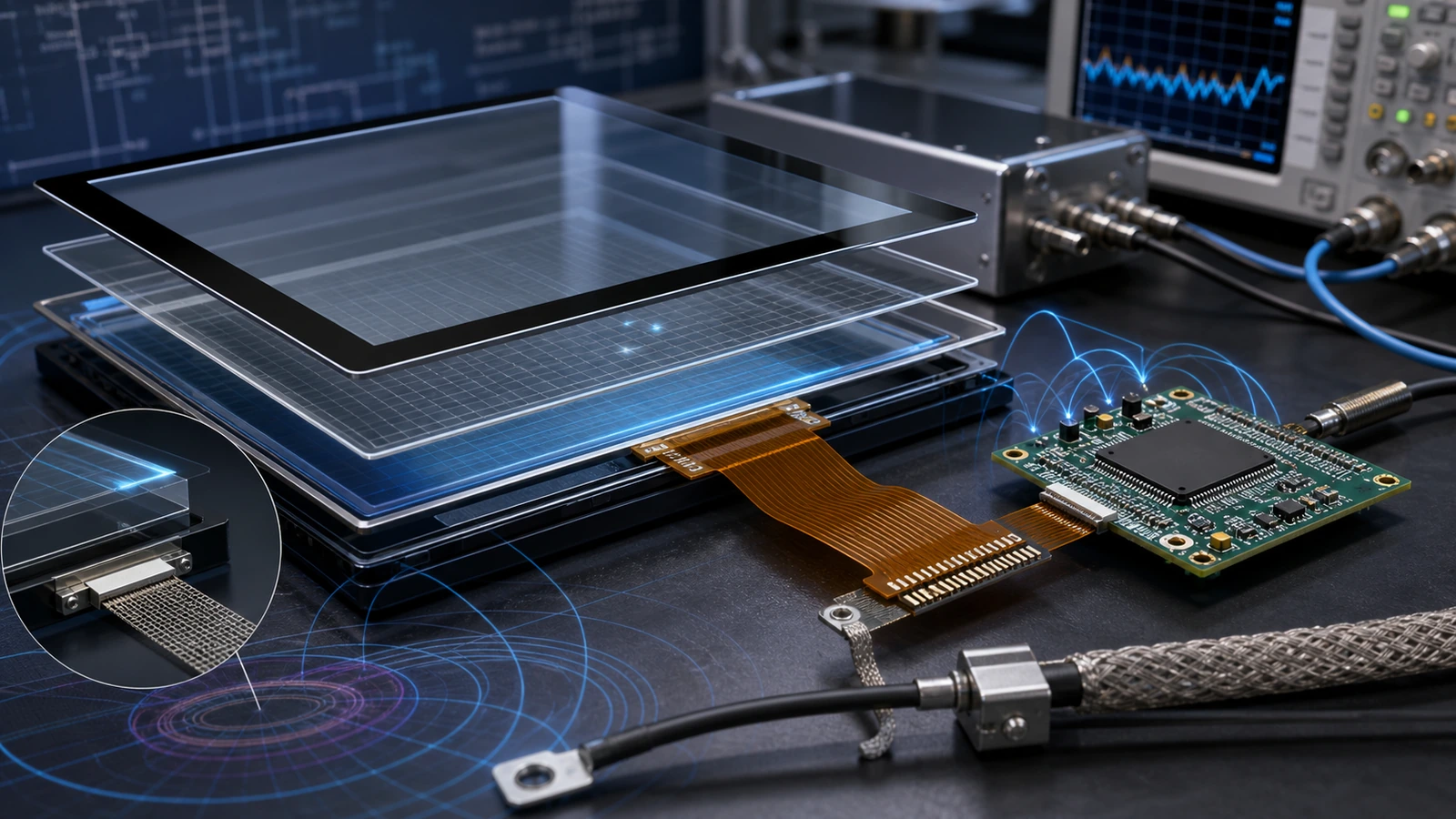
A PCAP touch panel design guide should explain more than the basic principle of capacitive touch. For industrial projects, the final performance depends on the controller, sensor pattern, cover glass, FPC routing, grounding, firmware tuning and the environment where the touch panel will be used.
Article Map
Key Takeaways
- PCAP Touch Panel Design decisions should start from the real installation environment, not only the screen size.
- Confirm touch behavior, visibility, sealing, controller stability and mechanical fit before moving to production.
- For OEM projects, a short requirement checklist reduces redesign risk and long-term service cost.
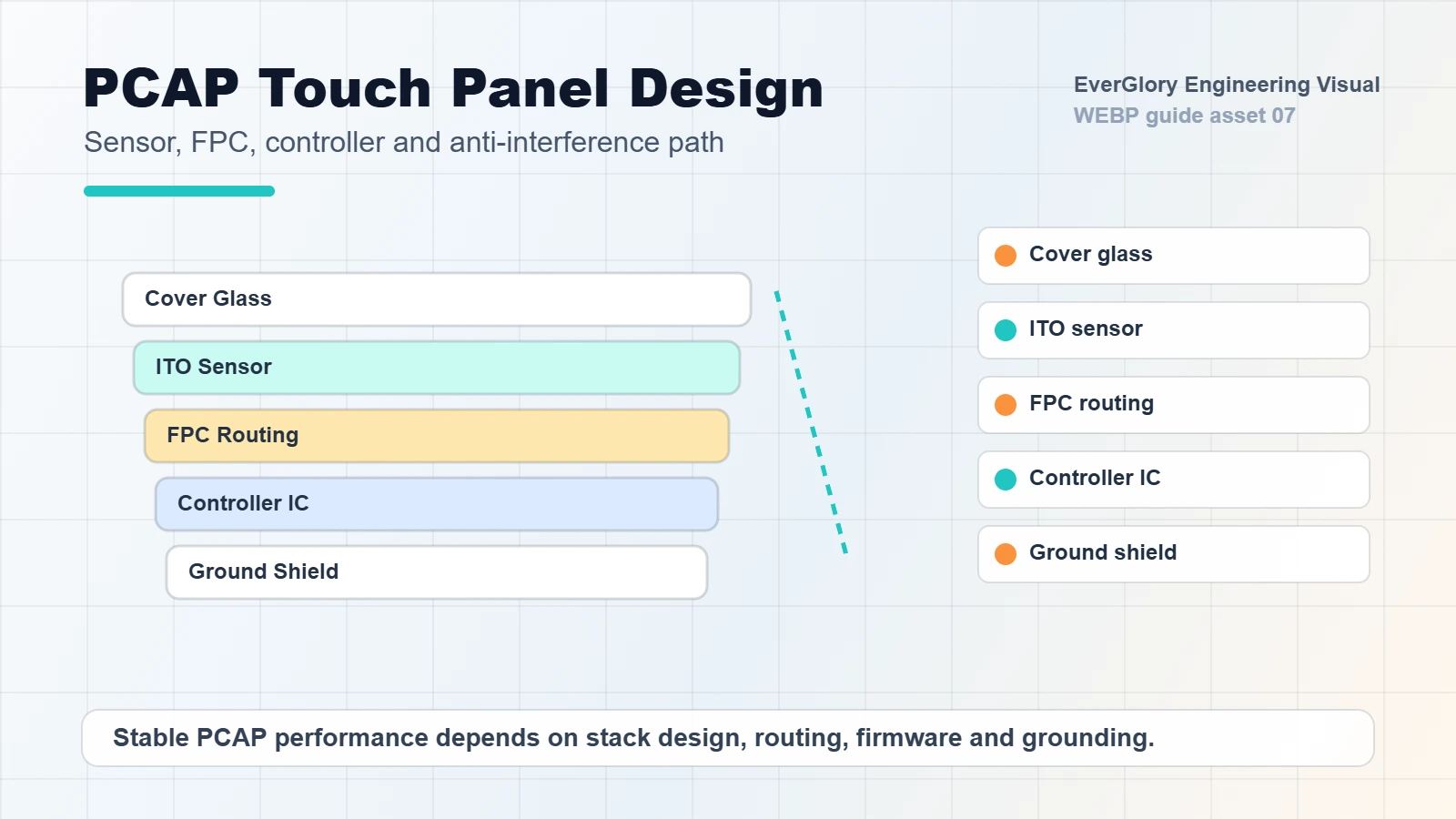
A PCAP touch panel design guide should explain more than the basic principle of capacitive touch. For industrial projects, the final performance depends on the controller, sensor pattern, cover glass, FPC routing, grounding, firmware tuning and the environment where the touch panel will be used.
This upgraded article combines local engineering materials about touch IC selection, Sensor design, FPC routing, shielding film and CTP anti-interference into a practical guide for OEM buyers.
PCAP Is a System, Not a Single Part
Projected capacitive touch works by detecting changes in the electric field. In practice, the touch panel must be designed around the final product. A panel for an indoor control screen can be different from a panel for an outdoor kiosk, medical device, vending machine or high-interference factory terminal.
The design should consider:
- Cover glass size and thickness
- Sensor structure and channel layout
- Controller IC capability
- FPC length and routing
- Shielding and grounding
- Glove and wet touch requirements
- EMI environment
- LCD noise and mechanical stack-up
Design Checklist
| Design Area | Key Question | Engineering Risk |
|---|---|---|
| Controller | Does it support the required size, channels and environment? | Slow response, false touch or poor compatibility |
| Sensor | Is the pattern suitable for size and touch accuracy? | Dead zones or uneven sensitivity |
| Cover glass | What thickness, treatment and strength are needed? | Weak touch signal or poor durability |
| FPC | Is routing short, stable and protected? | Broken lines, oxidation or signal noise |
| Grounding | Is system ground planned early? | Jumping points and EMI sensitivity |
| Firmware | Is it tuned for gloves, water and LCD noise? | Good lab test but poor field performance |
Controller Selection
The touch controller should match the panel size, channel count, noise environment and operating system. Industrial projects may need higher noise immunity, glove tuning, water rejection or support for longer cables. A low-cost controller can work in a demo but fail near motors, power supplies or high-brightness LCD modules.
For demanding equipment, controller selection should happen together with LCD, cover glass and enclosure design.
Sensor and FPC Design
Sensor design affects touch accuracy, linearity and sensitivity. Large-size touch panels, narrow borders and special shapes require careful pattern design. FPC routing is also critical. FPC bending radius, copper material, shielding, connector position and protection from oxidation can all affect reliability.
For industrial equipment, do not treat FPC as a simple tail. It is part of the signal path and should be protected from mechanical stress, moisture and interference.
Anti-Interference Design
Many PCAP problems appear only after the touch panel is installed into the final product. LCD noise, poor grounding, long USB cables, metal frames and power interference can cause ghost touch or drift. Anti-interference design may include shielding film, differential routing, stable grounding, controller tuning and system-level EMC validation.
Internal Links
FAQ
What is the most important part of a PCAP touch panel?
There is no single most important part. Controller, sensor, cover glass, FPC, firmware and grounding must be designed together.
Why does a PCAP panel jump or drift?
Common causes include EMI, poor grounding, LCD noise, water on glass, long cables or unsuitable firmware tuning.
Can PCAP support thick cover glass?
Yes, but the controller, sensor and firmware must be designed around the glass thickness and required sensitivity.
What information is needed for custom PCAP design?
Provide size, active area, cover glass thickness, interface, FPC direction, operating system, environment and touch requirements.
Need a Project-Specific Recommendation?
EverGlory supports OEM and industrial display projects with PCAP touch panels, open-frame touch monitors, waterproof front designs, optical bonding, high-brightness LCDs and interface customization. Share the installation environment, target size, interface and protection needs, and the engineering team can help narrow the specification before sampling.

