
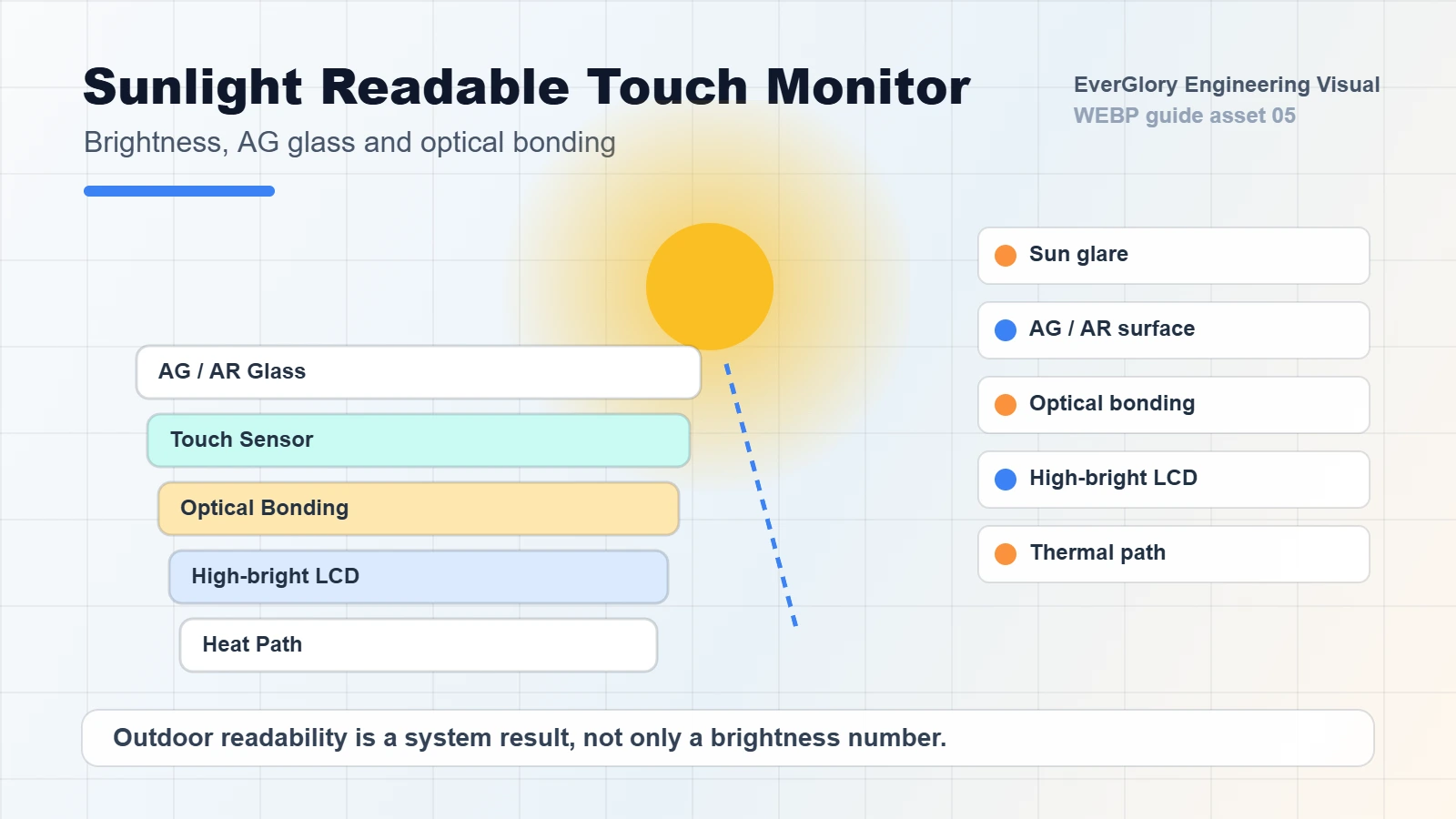
Optical bonding, anti-glare (AG), anti-reflective (AR) and anti-fingerprint (AF) treatments solve different problems in an outdoor touch display. Bonding reduces reflections at internal interfaces, AG diffuses reflected light, AR reduces reflection at treated surfaces, and AF helps manage fingerprints and cleaning. Select the combination for the complete display assembly.
Start with the visible problem in the optical decision table, then copy the optical-stack requirements template to specify the layers and tests. For the wider procurement sequence, use our sunlight readable display selection guide.
What changes when an air gap is optically bonded?
An air-gap assembly separates parts of the cover, touch sensor and LCD stack with air. Light encounters changes in refractive index at these boundaries, creating reflections that can make dark content harder to distinguish in bright surroundings.
Optical bonding fills a specified gap with a transparent bonding material. A suitable material and process reduce the refractive-index mismatch at the bonded interfaces. This can improve perceived contrast under ambient light without increasing the LCD backlight output. EIZO’s optical bonding explanation illustrates how filling the internal air gap reduces reflections; the performance of a selected EverGlory assembly still depends on its actual construction.
Ask which layers are bonded. A cover lens bonded to a touch sensor can still sit above an air gap to the LCD. Perimeter bonding secures parts around the edge while retaining an air cavity. The word “laminated” alone does not establish a fully bonded cover-to-display structure.
Air-gap interface
Viewer / ambient light
Front surface: specify AG, AR or AF
Cover and touch assembly
Air gap: material-to-air boundaries reflect some light back toward the viewer
LCD
Optically bonded interface
Viewer / ambient light
Front surface: specify AG, AR or AF
Cover and touch assembly
Transparent adhesive: reduces the index mismatch at this interface
LCD
Conceptual layer sequence, not a scale drawing or test result. Surface treatments and internal bonding act at different locations; specify any separate enclosure window too.
Bonding also removes the air cavity at that interface, reducing the opportunity for condensation there. Other cavities, edges and the enclosure can still admit moisture or develop condensation. Optical bonding does not establish an ingress protection rating.
Choose optical bonding, AG, AR and AF by the problem
| Observed problem | First option to evaluate | Tradeoff to consider | What to verify |
|---|---|---|---|
| Sharp mirror-like reflections | AR to reduce surface reflection; AG if diffusing the reflected image helps | AG can add haze or sparkle; AR response varies with coating and angle | Reflection, fine-text clarity and color at actual viewing positions |
| Reflections from internal interfaces | Identify the air gap, then evaluate bonding that interface | Material compatibility, assembly stress, cost and rework | Same LCD, content and lighting with the specified bonded stack |
| Diffuse washout or softened small text | Compare the current AG finish with lower-haze or AR alternatives | A less diffuse surface may show a sharper reflected image | Actual pixel density, characters and dark controls under ambient light |
| Fingerprints obscure frequently touched areas | Evaluate AF and the cleaning process | Coating wear and cleaner compatibility | Smudge visibility and touch feel before and after agreed cleaning |
| Glare remains behind an enclosure window | Review that window’s finish, angle and spacing | Enclosure geometry, sealing and viewing access | The completed assembly, including both optical structures |
AG redistributes reflected light and does not necessarily reduce its total amount. For AR data, identify the treated surface and measurement method; one-surface performance is not a complete-stack result. AF helps with fingerprints and cleaning, not enclosure sealing or wet-touch operation.
Use the AG, AR and AF engineering specification guide to define coating requirements with the supplier.
How do display laminations improve visibility in bright environments?
Reducing reflections inside the stack can help dark content remain distinguishable in ambient light. Keep panel luminance, transmission through the final assembly and ambient-light readability separate: bonding does not increase backlight output, and its readability benefit is not a fixed percentage.
Compare the same content, viewing angle, brightness setting and exposure conditions. If photographs are used, keep camera exposure consistent and record the configuration. Photos support comparison, but they do not replace a defined optical measurement or a user task test.
For backlight selection alongside these optical choices, see how many nits are needed to see a screen in the sun.
Choose the optical stack around the installation
Specify both the internal interfaces and the front finish. Confirm coating compatibility on the selected cover glass, including the cleaning agents. If there is a separate protective window, include it in the drawing and test assembly before compensating for its reflections with more backlight power.
Public kiosks and EV charging interfaces
Balance daylight readability with cleaning, impact requirements, water behavior and touch rejection. Use the outdoor kiosk and EV charging integration guide to connect the optical choices with the enclosure design.
Displays with frequent service requirements
Discuss repair and replacement before specifying a bonded assembly. Bonding joins components into a combined part; separating them may require a controlled rework process and may not be practical for field service.
An air-gap design can remain practical under controlled lighting when serviceability and cost take priority. Compare air bonding and optical bonding and review the factors behind optical bonding cost before freezing the structure.
Validate optics, touch and durability together
Use a representative touch display module with the intended cover, LCD, adhesive and mounting arrangement. Material compatibility and installation stress matter as much as the appearance of a new sample.
- Optical quality: inspect reflections, haze, bubbles, particles, uniformity and fine-text readability in representative ambient light.
- Viewing conditions: check normal and oblique viewing positions, portrait or landscape orientation, and polarized eyewear where users may wear it.
- Touch operation: repeat edge, drag, glove and wet-surface checks using the final controller and firmware. Optical quality does not establish touch performance.
- Thermal and moisture exposure: agree on project-specific conditions and inspect for optical change, delamination, bubbles and function afterward.
- Cleaning and assembly: verify chemical compatibility and coating wear; check that fasteners, gasket compression and enclosure tolerances do not stress the LCD.
Our bonding process and quality guide and quality testing evidence provide further context for this review.
Copy this optical-stack requirements template
Attach the cover and assembly drawings. Keep unknowns as “To complete” and ask the supplier to identify each treated surface and bonded interface. Agree on test methods and acceptance limits before approving a sample.
PROJECT AND LAYERS — FRONT TO BACK
Application, ambient light, viewing angles and interface content: To complete
Separate enclosure window, if any: To complete
Cover material, thickness and drawing revision: To complete
AG / AR / AF treatment and exact surface location: To complete
Touch sensor, controller and firmware: To complete
Each interface: air gap or named bonding material/process: To complete
LCD model, mounting and brightness setting: To complete

TARGETS AND VALIDATION
Reflection, haze, transmission and clarity targets/methods: To complete
Comparison configuration and lighting/camera settings: To complete
Touch, glove and wet-surface tasks: To complete
Thermal/moisture conditions and inspection criteria: To complete
Cleaning agents, wear procedure and acceptance limits: To complete

SUPPLIER RESPONSE AND OPEN ITEMS
Proposed stack revision and compatibility confirmation: To complete
Sample/report identifiers and applicable conditions: To complete
Rework, replacement and material-change controls: To complete
Unresolved item, responsible party and next action: To complete
Frequently asked questions
Does optical bonding increase display brightness?
It does not increase backlight output. It can improve readability by reducing reflections at bonded interfaces. Measure final-assembly luminance separately from ambient-light readability.
Is anti-glare better than anti-reflective glass?
Start with the problem: a sharp reflected image or diffuse washout. AG can soften the reflected image but may add haze or reduce fine-text clarity; AR targets reflection at the treated surface. Compare the actual finishes under the intended lighting rather than choosing by the label alone.
Can AG, AR, AF and optical bonding be combined?
Some assemblies combine them, but compatibility depends on the cover, coating process and bonding structure. Confirm the specific combination and validate its optical, touch and durability performance.
Does AF coating make a touchscreen waterproof?
No. AF helps with fingerprints and cleaning. Enclosure sealing determines water ingress protection, while wet-touch behavior depends on the touch system and its configuration.
Can optical bonding affect PCAP touch performance?
Yes. Changes to cover thickness, adhesive or stack construction can affect touch behavior. Review controller tuning and repeat touch tests after changing the optical assembly.
Sources and applicability
- EIZO: EIZO Optical Bonding. Manufacturer explanation of reflection at an air gap and resin bonding. Its product illustrations do not establish performance for an EverGlory assembly.
- Optical report WT2023E09B00704EG1. Measured visible-light and UV transmittance for one 259 × 202 × 3.7 mm touch-screen sample; no pass threshold stated.
- 500-hour UVA-340 SCA-G/glass supplier material record. Recorded visual observations for a glass–SCA-G–glass sample, separate from the optical-report sample and from a finished display.
For a model specification or source-document clarification, contact EverGlory with the model or record identifier.
Review the optical stack before selecting the display
Explore sunlight readable display options or send EverGlory the completed optical-stack template with your drawings. Ask for confirmation of the proposed layers, compatible treatments and sample checks before selecting the assembly.

