
Specify the light.
Tell us about direct sun, shade, viewing distance and screen content. Select a brightness configuration, then evaluate readability through the final cover glass.
Brightness + reflection + viewing angleFour sizes. Brightness configurations up to 1,000 nits. Choose the display for your industrial HMI or protected outdoor terminal.
HDMI + VGA video · USB capacitive touch · External host required
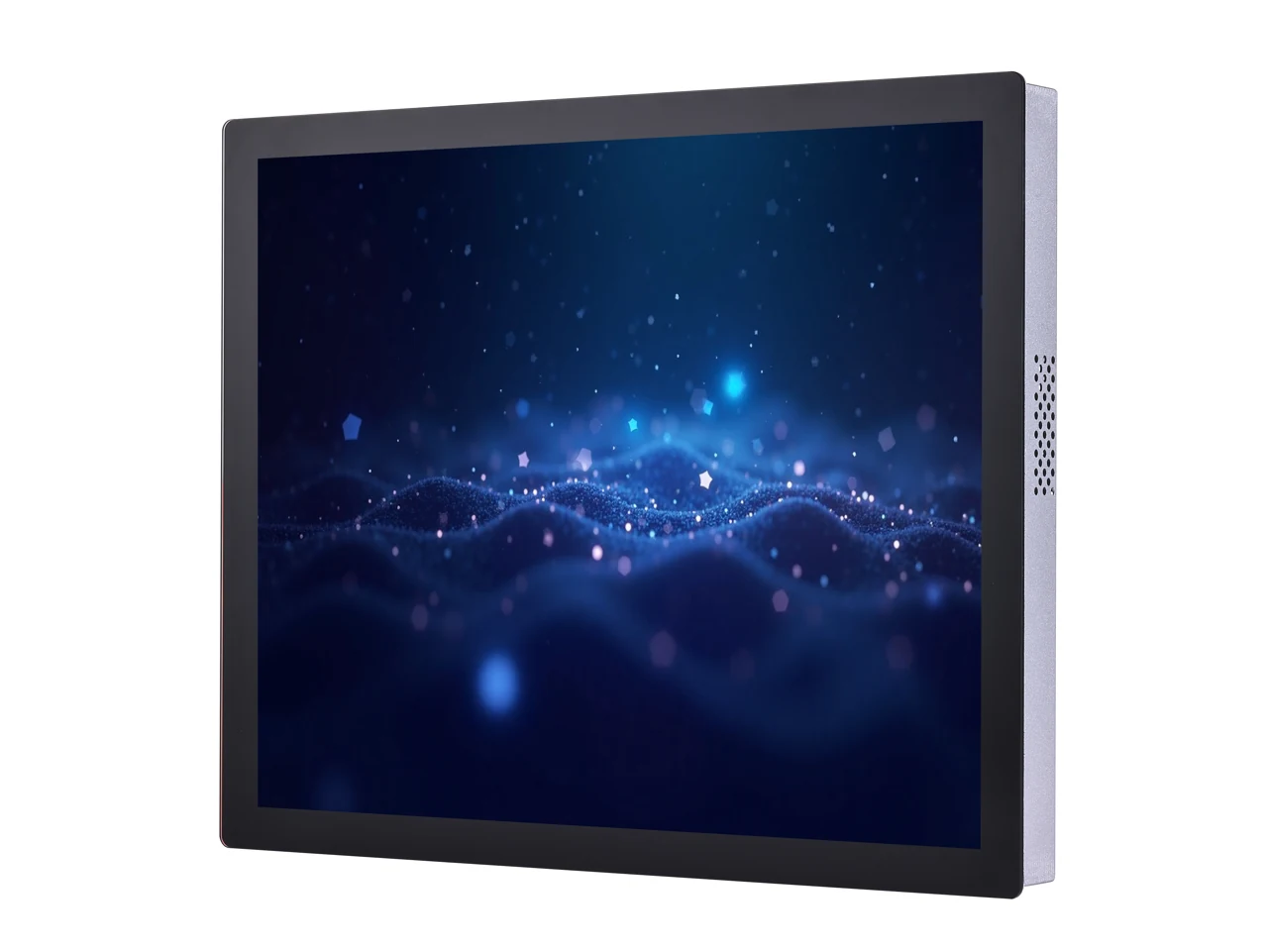
XW01
XW01 is a family of 15, 17, 18.5 and 21.5-inch high-brightness industrial touchscreen monitors for external-host HMI and protected terminal integration. Each monitor combines an LCD display and PCAP touch; it does not include a computer. HDMI/VGA carries video, USB carries touch communication and DC 12 V supplies power. Model-specific brightness configurations reach up to 1,000 cd/m². Operating temperature, protection requirements and installation conditions vary by model and project.
01 / SELECT YOUR DISPLAY
Compare screen format, brightness and temperature limits before defining your enclosure.
Brightness is configuration-dependent. Confirm mounting details and the exact supplied version before ordering.
02 / HIGH BRIGHTNESS, IN CONTEXT
Selecting a sunlight-readable touchscreen monitor means considering the complete installation—not just its luminance.
Tell us about direct sun, shade, viewing distance and screen content. Select a brightness configuration, then evaluate readability through the final cover glass.
Brightness + reflection + viewing angleFor an outdoor touchscreen monitor, agree front and rear exposure, sealing and drainage. Review the installed protection boundary with the exact model.
Enclosure + sealing + condensationAllow for solar load and heat inside the enclosure. The 21.5-inch model is specified for 0–50°C operation; the 17-inch model lists −30–80°C.
Model-specific temperature limitsIP34 appears in the 15 and 17-inch ordering descriptions; its installed scope needs confirmation. No IP rating is stated for the 18.5 and 21.5-inch models. High brightness does not establish all-weather suitability.
03 / APPLICATION FIT
Use these integration scenarios to define the configuration and validation plan for your project.
Compare the 15-inch 4:3 and 17-inch 5:4 formats for existing HMI layouts, or Full HD models for wider operator dashboards.
Review higher-brightness configurations for an enclosed self-service terminal where ambient light and reflections affect viewing.
Evaluate the monitor as one component of the charging terminal. Define interaction, visibility and protection at system level.
Discuss the selected configuration and application-specific acceptance criteria with our team.
04 / MECHANICAL & ELECTRICAL FIT
A touchscreen monitor for external-host systems, with separate video, touch and power connections.
For an embedded touchscreen monitor installation, start with the released drawing and mounting arrangement. The 17-inch V1 source explicitly lists wall and embedded mounting, with 100 × 100 and 75 × 75 mm VESA patterns. The other models list 100 × 100 mm VESA mounting.
Request a mechanical fit review ↗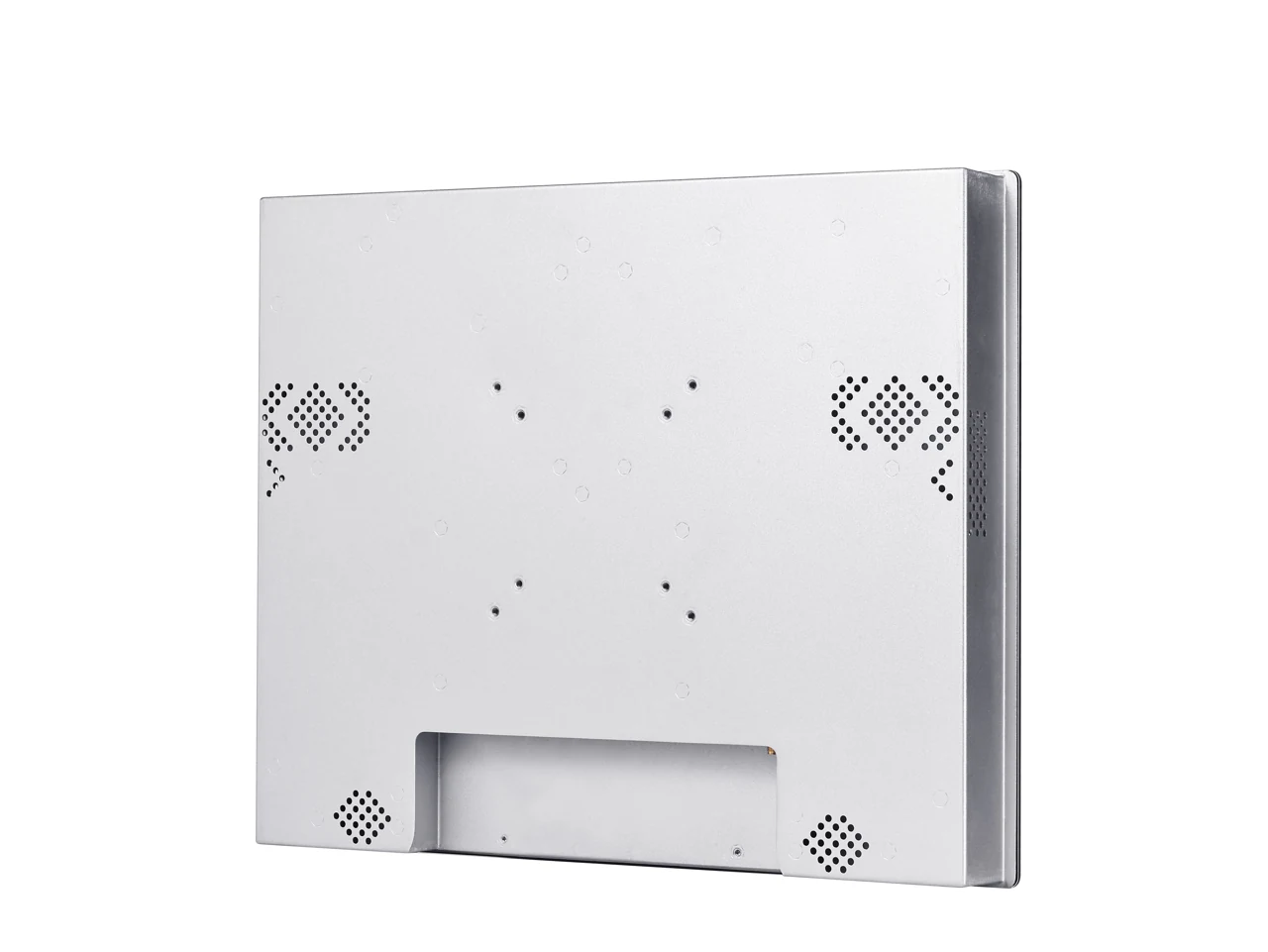
MECHANICAL FIT / 17-INCH REFERENCE
The 17-inch V1 specification includes a mechanical drawing and lists a 372.92 × 305.34 × 44 mm enclosure. Confirm the released drawing, tolerances and support points before producing the bracket or panel.
15, 18.5 and 21.5-inch mechanical drawings should be requested for the selected configuration. Do not scale this reference to other sizes.
Confirm the contact surfaces and support points in the released drawing. Avoid transferring bracket or bezel pressure into the LCD stack.
Review screw type, engagement depth and tightening torque with the selected mounting structure. A VESA spacing alone does not define the screw specification.
Review the gasket, seams and installed front/rear exposure independently of the mechanical fixing method. A rear VESA bracket does not establish a waterproof installation.
Compare the display and edge-touch behavior before and after fitting the monitor. Investigate pressure, alignment or enclosure interference if the behavior changes.
Based on EverGlory installation guidance WI-ZJ-019, A1, sections 4–5. Confirm applicability and the released mechanical instructions for your XW01 build. No standard optical-bonding configuration is implied.
05 / COMPARE THE DETAILS
Compare the four TC monitors using their individual V1 specifications, including model-specific temperature and protection information.
| Specification | 15″YL-HZXW01Q150TC-V1 | 17″YL-HZXW01Q170TC-V1 | 18.5″YL-HZXW01Q185TC-V1 | 21.5″YL-HZXW01Q215TC-V1 |
|---|---|---|---|---|
| Screen size | 15″ | 17″ | 18.5″ | 21.5″ |
| Resolution | 1024 × 768 | 1280 × 1024 | 1920 × 1080 | 1920 × 1080 |
| Aspect ratio | 4:3 | 5:4 | 16:9 | 16:9 |
| Brightness configurations¹ | 350–1,000 cd/m² | 300–1,000 cd/m² | 300–1,000 cd/m² | 300–1,000 cd/m² |
| Operating temperature | −20 to 70°C | −30 to 80°C | −20 to 70°C | 0 to 50°C |
| Storage temperature | −20 to 70°C | −30 to 85°C | −20 to 70°C | −20 to 60°C |
| Operating power | <40 W | ≤35 W | <40 W | <40 W |
| VESA mounting² | 100 × 100 mm | 100 × 100 / 75 × 75 mm | 100 × 100 mm | 100 × 100 mm |
| Contrast ratio | 1000:1 | 1000:1 | 1000:1 | 1000:1 |
| LCD response | 30 ms | 20 ms | 14 ms | 14 ms |
| Source-stated MTBF³ | 50,000 h | 50,000 h | 50,000 h | 30,000 h |
| Construction | All-metal body | SECC, spray-coated | All-metal body | All-metal body |
| Enclosure dimensions² | Request released drawing | 372.92 × 305.34 × 44 mm | Request released drawing | Request released drawing |
| Protection statement⁴ | IP34 listed in ordering description; scope to be confirmed | IP34 listed in ordering description; scope to be confirmed | Not stated in the model-specific V1 specification | Not stated in the model-specific V1 specification |
¹ Configuration ranges, not a guaranteed dimming range. 1 nit = 1 cd/m².
² Confirm the released mechanical drawing before enclosure or bracket design.
³ Source-stated MTBF is not a warranty period or service-life guarantee.
⁴ Confirm protection scope and supporting evidence for the installed configuration.
USB driver-free communication is stated in V1. Host/OS compatibility, touch-point count and special touch requirements should be confirmed for the project.
06 / EVIDENCE & RELEASE
Connect the exact model and revision to the drawing, sample checks and inspection records agreed for your project.
Agree display and touch checks under the intended lighting, host and environment. Review sample identity, method and acceptance criteria together.
Review our validation approach ↗Define the released configuration, inspection checkpoints, product identification and change-control requirements before a production build.
Review production controls ↗The V1 specifications list EN55032 Class A and ESD levels. Model-matched reports should be reviewed when these are procurement requirements; a source specification is not a test certificate.
Set the configuration, test conditions and acceptance criteria for your application before sample evaluation.
Define: Target luminance, cover glass, viewing angle and representative daylight.
Review: Record the selected configuration and check the actual screen content in its intended lighting.
Define: Enclosure hot spots, solar exposure, cold start and ventilation.
Review: Use the selected model's operating limits; agree test conditions and acceptance criteria before evaluation.
Define: Host/OS version, USB path, grounding and any glove/wet-touch requirement.
Review: Check the agreed touch behavior with the real host and installation. Special touch modes need separate confirmation.
Define: Released drawing, fasteners, sealing boundary and service access.
Review: Check assembly fit and any agreed protection requirement on the installed configuration.
TECHNICAL EVIDENCE / TRACEABLE SOURCES
Review the model specification, relevant test records and installation requirements together when qualifying your configuration.
The 17-inch XW01 V1 specification includes vertical and horizontal emission plots dated 31 July 2025, bearing the name Dongguan NTC Co., Ltd.
The plot labels state EN 55032 Class A_3m and a 3 m measurement distance. This is a specific record to review with the required configuration, not a series-wide certification claim.
Read the English evidence summary · p7 ↗| Polarization | Frequency MHz | Measured level dBµV/m | Limit dBµV/m | Over limit dB |
|---|---|---|---|---|
| Vertical | 378.2300 | 43.09 | 57.00 | −13.91 |
| Vertical | 756.5300 | 45.39 | 57.00 | −11.61 |
| Horizontal | 378.2300 | 39.79 | 57.00 | −17.21 |
| Horizontal | 756.5300 | 46.51 | 57.00 | −10.49 |
Negative “over limit” values mean these listed points are below the plotted limit. They do not constitute a full compliance verdict. Confirm the complete report, sample-to-order-code linkage, adapter and test configuration for procurement review.
The plots list AC 230 V / 50 Hz, 26°C and 47% humidity as test conditions. The monitor’s specified supply remains DC 12 V. These excerpts do not establish immunity, ESD, ingress protection, outdoor lifetime or conformity of other XW01 sizes.
Compare model-specific electrical, display, environmental and mounting data from the four V1 specifications.
Model data · PDF pp2–5 ↗WI-ZJ-019, dated 2 January 2025, provides general installation guidance. Request the instructions applicable to your build.
Review the installation checks ↑Agree the final drawing, product identification, sample checks and applicable reports before production approval.
Request project-specific documents ↗Company management documentation includes ISO 9001:2015 certificate copy 69125Q00083R1M and ISO 14001:2015 certificate copy 69126E00014R100 for Dongguan Ever Glory Photoelectric Co., Ltd. Their stated activities concern capacitive touchscreens and glass cover plates; the environmental certificate covers the associated environmental-management activities.
These are company-level records, not XW01 product certifications. Request the current copies and verify their status and scope during supplier qualification.
Discuss the applicable quality evidence ↗Technical sources: XW01 TC model specifications V1; 17-inch emission appendix dated 31 July 2025; installation guidance WI-ZJ-019 A1, dated 2 January 2025. English technical reference EN3 · 12 October 2026. Request current, configuration-specific documents with your quotation.
07 / TECHNICAL DOWNLOAD
Compare all four XW01 TC monitors in one English technical reference, with electrical data, mounting guidance and a summary of the 17-inch emission records.
Prepared by DongGuan Ever Glory Photoelectric co., Ltd
Technical reference EN3 · 12 October 2026 · 8 pages
Based on model specifications V1.
Model comparison · electrical data · mounting · outdoor integration
Download English datasheet ↓PACKING & CONNECTIONS
The four V1 source packing lists include the items shown. Confirm the final packing list and regional plug type with your quotation.
A USB touch cable and mounting accessories are not listed. Specify what you need for the host and installation.
08 / BEFORE YOU SPECIFY
Resolve the choices that affect your display, enclosure and order.
No. The 15-inch V1 specification lists 350–1,000 cd/m²; the 17, 18.5 and 21.5-inch specifications list 300–1,000 cd/m². Specify the required luminance in your inquiry and confirm the supplied configuration with the quotation. These ranges do not establish automatic brightness adjustment.
Start with the viewing distance, ambient light and exposure to direct sunlight. Then review display luminance, cover-glass reflections, viewing angle and enclosure heat. Evaluate the agreed XW01 configuration in representative lighting; a 1,000-nit specification alone does not guarantee readability in every installation.
XW01 can be evaluated for integration into a protected outdoor terminal. The 15 and 17-inch ordering descriptions list IP34, but do not define the installed protection boundary; the 18.5 and 21.5-inch V1 documents do not state an IP rating. Confirm the required front and rear protection, sealing, drainage, condensation control and enclosure temperature before specifying outdoor use.
The 17-inch YL-HZXW01Q170TC-V1 lists −30 to 80°C operation. The 15 and 18.5-inch models list −20 to 70°C, while the 21.5-inch model lists 0 to 50°C. Use the selected model’s limit when reviewing enclosure heat and cold-start requirements.
XW01 includes an LCD display and PCAP touch, but no computer; an external host is required.
The four TC models on this page are touchscreen monitors for an external host. HDMI or VGA carries video, USB carries touch communication and DC 12 V supplies power. Confirm the host and selected monitor configuration before integration.
The current V1 specifications state capacitive touch with USB driver-free communication, but do not establish glove or wet-touch performance, optical bonding, a simultaneous touch-point count or specific OS versions. Include these requirements in the engineering review so the applicable configuration and validation can be agreed.
Provide the preferred size, mounting or cutout drawing, target brightness, host and OS, exposure to sunlight or water, enclosure temperature range and quantity. Confirm model availability, mechanical release, packing, lead time and service terms with the quotation.
The 17-inch V1 specification includes two NTC radiated-emission plots dated 31 July 2025. Their sample field reads “17”; confirm the link to the exact hardware and order code when requesting the full report. The excerpts do not establish full EMC conformity or coverage of the other three models.
The V1 packing lists specify a monitor, power adapter, 1.8 m power cable and 1.5 m HDMI cable. They do not list a USB touch cable or mounting accessories. Confirm the cable set, screw specification, engagement depth and torque for the selected installation.
No. A project-specific variant can have a different connector, interface, mounting arrangement or other parameter. Use its complete order code and approved specification. The four TC models on this page retain their own V1 data.
09 / START YOUR PROJECT
Send your target brightness, installation drawing and operating conditions. We can review the appropriate XW01 model and configuration with you.
Confirm availability, lead time, packing and service terms with the quotation.
admin@evergloryltd.com ↗DongGuan Ever Glory Photoelectric co., Ltd
Build your project brief
Choose a model and add your requirements, then contact our team for configuration advice and a quotation.